UI/UX Design Services
How We Design
Design at DS isn’t a service you buy separately. It’s the discipline embedded in every engagement, from the user research that defines what to build, through the UX that makes it usable, to the UI that makes it feel right.
Automated tools can generate screens. Knowing what screens to build requires experience.
Start With a Blueprint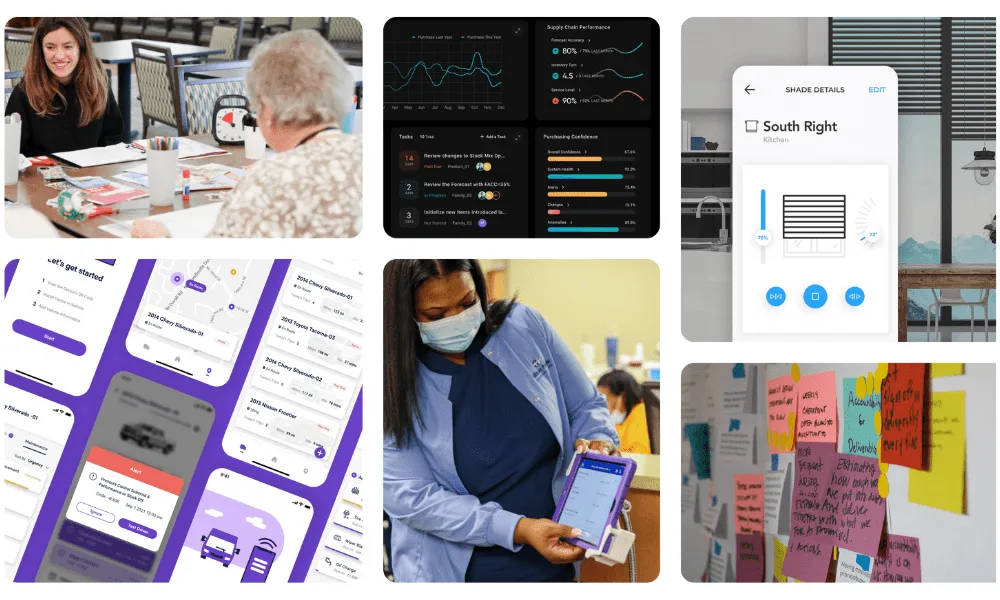
Products Shipped
Years Avg Designer Experience
Screens → 6 Steps (Apex)
Since
Every engagement follows our method: Discover → Experiment → Engineer → Optimize
UX & UI Design Services Embedded in Every Engagement
Design at DS isn’t a standalone deliverable. It’s embedded in the way we work, so what gets built actually works for the people who use it.
Unlike firms that hand you wireframes and walk away, we own the complete value chain. The designers who run your research are the same ones who stay through engineering and launch. Research that never ships is shelf-ware. We don’t do shelf-ware.
Blueprint
User research, personas, journey maps, competitive analysis, and UX wireframes that define what to build before you build it.
New Product Development
UX design, prototyping, usability testing, and design systems, all built alongside engineering so nothing is lost in translation.
Platform Modernization
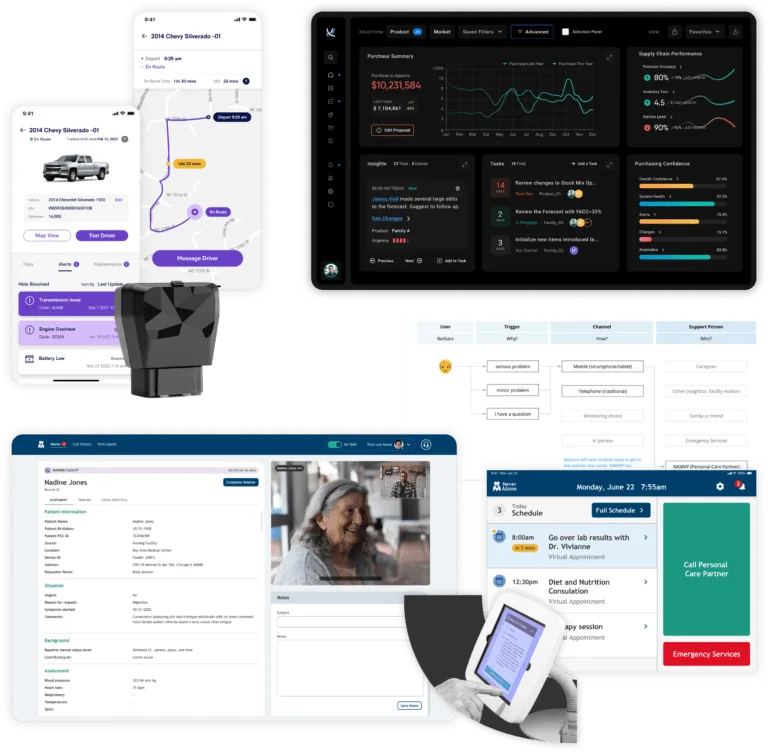
Redesigning workflows that don’t work. ToolsGroup’s supply chain platform. Apex’s 200-screen payroll system. Fortna’s warehouse dashboards.
Mobile
Field-optimized interfaces designed for the environments where they’ll actually be used, warehouse floors, patient bedsides, agricultural fields.
AI Design
Endless AI-generated visuals don’t guarantee adoption or utility. Complex software ecosystems blend screens, clicks, voice, and form factor across many user personas, especially in the enterprise. AI accelerates iteration. Talking to users, observing them, listening to their feedback, tells us what to build. That’s the work AI can’t do.
“Their user-focused service design allowed us to see and fix our blindspots and translate our unique offering for a wider market.”
, David Tate, Former CTO, Fusionetics
What Our Designers Actually Do
The work that determines whether a product succeeds happens before anyone opens Figma. Here’s what that looks like in practice.

User Research & Jobs-to-be-Done
We don’t design based on what stakeholders think users want. We observe, interview, and map what users actually do. For CommuniCare, that meant 40+ hours shadowing MDS nurses in skilled nursing facilities. For ToolsGroup, 30+ interviews that revealed competitors were winning on UX, not functionality.

Service Design
The screen is one touchpoint. The people, processes, and systems behind it are where most products fail. We map frontstage and backstage, what users see and what makes it work. For NeverAlone, the patient-facing telehealth was frontstage. Coordination across 130+ facilities was backstage. Both had to be designed.
UX Design & Prototyping
Information architecture, workflows, wireframes, and interactive prototypes. We test with real users before engineering starts. For Fortna, we reduced a 9-step error resolution workflow to 4 steps and designed warehouse-optimized dark mode, validated with operators before a line of code was written.

UI Design & Design Systems
Development-ready component libraries that scale across products and teams. We built ToolsGroup’s design system so their global engineering team could ship consistent UI without waiting on designers. We achieved WCAG/AAA for Sandata’s healthcare platform.
Usability Testing & Validation
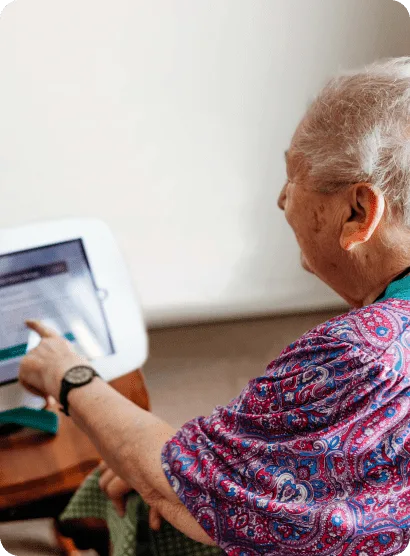
Concept validation, usability studies, and A/B testing throughout the design process. For NeverAlone, we designed for elderly patients and care coordinators, tablet at the bedside, not desktop in an office.
AI Experience Design
AI changes the interface fundamentally. We design for trust (how do users know the AI is right?), transparency (what is the system doing?), and actionability (what should the user do next?). We’ve designed AI-powered clinical documentation tools, recommendation engines, and conversational interfaces.
AI Is Changing Design Work. Here’s What It Can’t Do.
AI generates layouts, components, and mockups faster than any human. We use it to accelerate design production every day. But production speed was never the bottleneck.
The hard part of design is knowing what to design. AI can’t do user research. It can’t understand a nurse’s workflow at 2 AM. It can’t decide what to cut from a 200-screen legacy app. It can’t tell you that 75% of your sales losses are UI-related, and what to do about it.
That thinking, the research, the judgment, the pattern recognition from 200+ products, is what our 16-year-average design team brings. AI makes them faster. It doesn’t replace what they know.
- Generate layout variations and component options
- Create design system documentation
- Produce responsive variants and edge cases
- Accelerate prototyping and iteration
- Shadow an MDS coordinator for 40 hours to understand her workflow
- Decide that a 200-screen app needs to become 6 steps
- Discover that sales losses are driven by UI, not functionality
- Design a tablet interface for an elderly patient at a bedside
- Map the backstage service that makes the frontstage work
How We Drive Quality Into Solutions
Context is key. The best UX/UI comes from understanding the people who’ll use it, the workflows they’re in, the tools they already trust, and the business context around all of it. Without context, design is guessing.
Talk to users. Observe them. Listen to their feedback. Sounds simple, most design shops skip it. 40 hours of shadowing probably understates it. We partner with users so they can drive improvements.
Not a designer sitting on the other side of the world guessing at your needs. As a former R&D team, we’re fast learners on client context, and we incorporate the market research, prototypes, and design preferences you’ve already developed. We build on your work, not over it.
Designers alone don’t know your business. We pair design with product management and leadership to ensure business context. Our team is used to investing extra time to come up to speed on client-specific complexity, like learning the MDS framework (federally mandated nursing facility documentation) before designing for CommuniCare’s coordinators.
Custom software is just that, custom. It has to deliver value to the specific people who’ll use it: capture their workflows, integrate with tools they already trust, earn trust through accuracy and quality, reduce cognitive load, and arm them with the insights they need at the moment they need them.
This is why the platforms we build last, instead of being ripped and replaced.
Research Is Where Every Design Decision Starts
We don’t design from assumptions. Every engagement begins with research, interviews with real users, observation of real workflows, and analysis of real pain points.
For CommuniCare, we spent 40+ hours shadowing MDS coordinators before designing a single screen. For ToolsGroup, we interviewed 31 stakeholders across the organization. For NeverAlone, we observed care coordinators and elderly patients to understand how a tablet interface needs to work at 2 AM in a nursing facility.
AI accelerates research synthesis, pattern identification across interviews, competitive analysis, survey processing. But the interviews themselves, the observation, the judgment about what matters, that’s our team in the room with your users.
User Interviews & Observation
In-person and remote sessions with the people who will actually use the product. Not surveys, conversations.
Jobs-to-Be-Done Analysis
What are users actually trying to accomplish? The answer is rarely what the feature request says.
Usability Testing
Real users, real tasks, real feedback. We test prototypes before engineering starts and production builds before launch.
Competitive & Market Research
AI-accelerated analysis of the competitive landscape, market positioning, and design patterns in your space.
Designing for Providers, Nurses, Care Teams, and Patients
Healthcare is our deepest vertical, and the most demanding design challenge. The users range from ICU nurses on 12-hour shifts to elderly patients learning a tablet for the first time. HIPAA constrains what you can show and where. EHR integration determines what data is available. Clinical workflows don’t pause for loading screens.
Provider Interfaces
Clinicians need information density without cognitive overload. We design dashboards and workflows that surface what matters, vital signs, alerts, care plans, without burying them in menus.
Nursing & Care Team Tools
Nurses don’t sit at desks. They’re on their feet, moving between rooms, documenting on tablets. We design for that reality, large touch targets, minimal steps, interruption-resilient workflows.
Patient-Facing Experiences
NeverAlone serves 26,000 patients including elderly users who’ve never used a tablet. We designed for accessibility, simplicity, and trust, video calls, emergency buttons, and daily schedules they can understand at a glance.
HIPAA-Compliant Design
PHI handling isn’t just a backend concern, it’s a design decision. What data shows on which screen, who sees what, session timeouts, audit visibility. We’ve been designing for HIPAA since 2007.
Design That Changed the Business
These aren’t design portfolio pieces. They’re business outcomes driven by design decisions.
ToolsGroup
75%
of sales losses were UI-related. Not a feature gap, a design gap. 30+ interviews revealed that competitors were winning on user experience, not functionality. That insight reframed the entire product strategy.
View Case Study →Fortna
9 → 4 Steps
Error resolution workflow cut from 9 steps to 4. Warehouse-optimized dark mode designed for operators working in low-light environments. 8 executive interviews shaped the real-time dashboard strategy.
View Case Study →Apex HCM
200+ → 6
Screens reduced to 6 steps. A legacy enterprise payroll platform redesigned for how real users actually process payroll, not how the original developers imagined they would.
View Case Study →“I am ecstatic about how actionable the insights are, every portfolio company should do this!”
, Inna Kuznetsova, CEO, ToolsGroup
Design in Practice
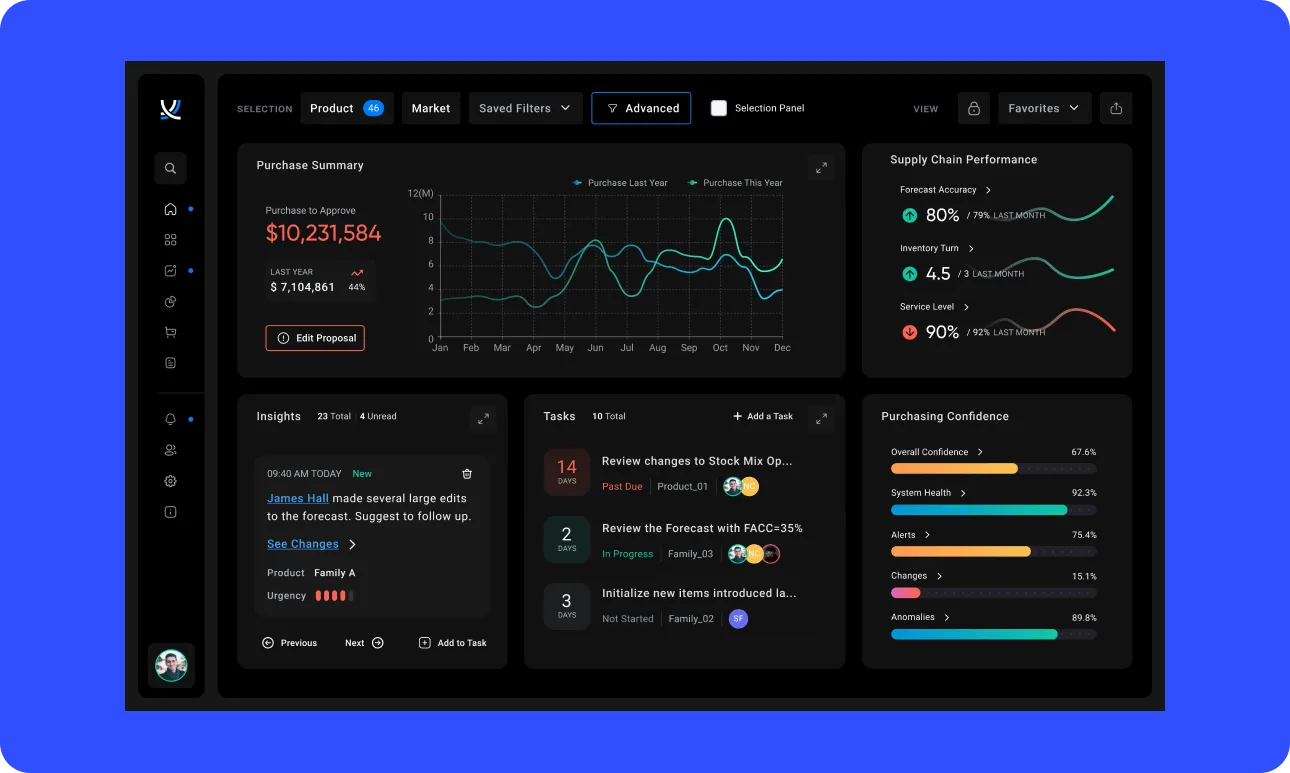
ToolsGroup
30+ interviews. Supply chain UX transformation.
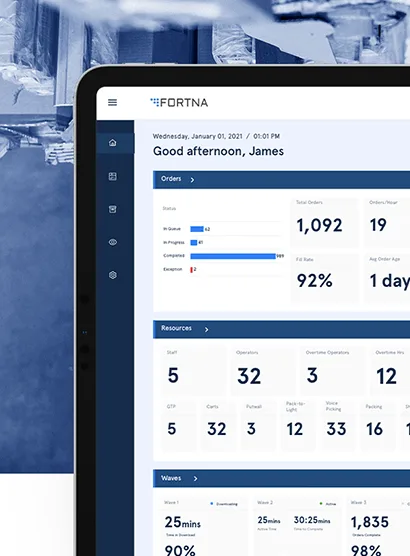
Fortna
9 → 4 steps. Real-time warehouse dashboards.
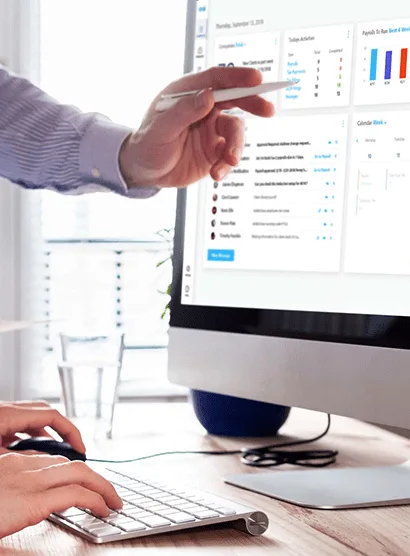
Apex HCM
200+ screens → 6 steps. Enterprise payroll UX.
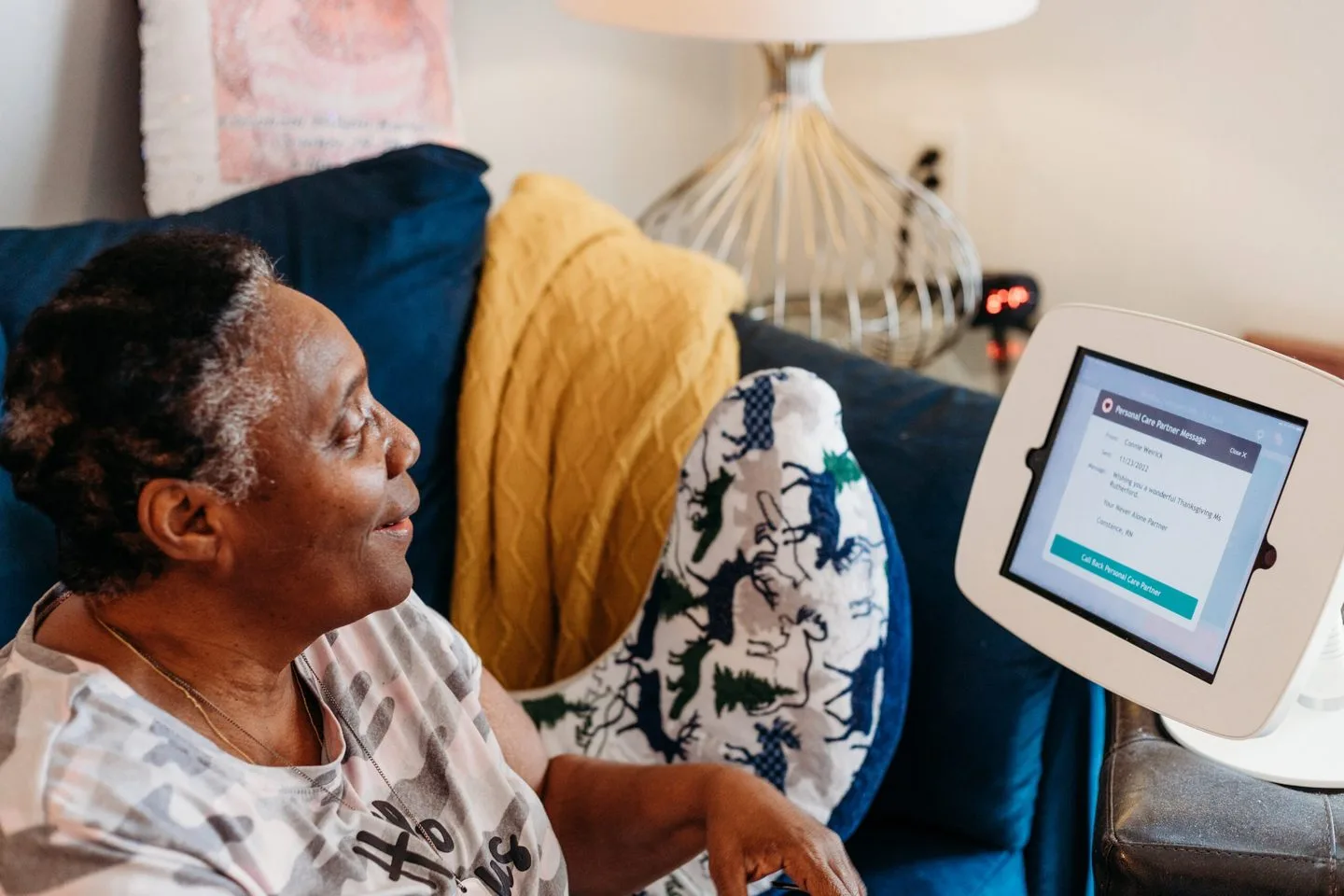
NeverAlone
130+ facilities. Bedside tablet for elderly patients.
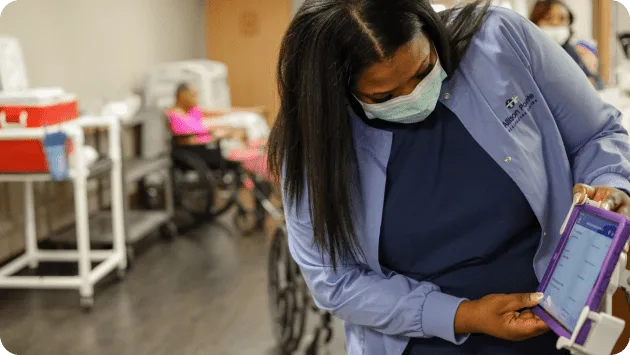
CommuniCare MDS
40+ hours shadowing nurses before designing anything.
Also: Mailchimp (8-year R&D partnership, $12B Intuit acquisition) · GoFan (>$100M KKR acquisition) · Tempo CRM (shipped in 75 days) · Sandata (WCAG/AAA)
Design Is Part of Every Engagement
Design FAQ
Start With a Blueprint
4-8 weeks of user research, wireframes, technical architecture, and a phased roadmap. The design rigor that defines what to build, before you build it.
Start a Blueprint →Or call: 404.654.3855