
Mobile App Development Services
Digital Scientists designs, builds and supports iOS and Android apps with one senior US team. Most first releases ship in 75 to 120 days, and you own the code, the store accounts and the IP.
Apps you have probably used: NAPA Auto Parts, Kayo by Cox, GoFan, NeverAlone, Leica Geosystems Safeload.
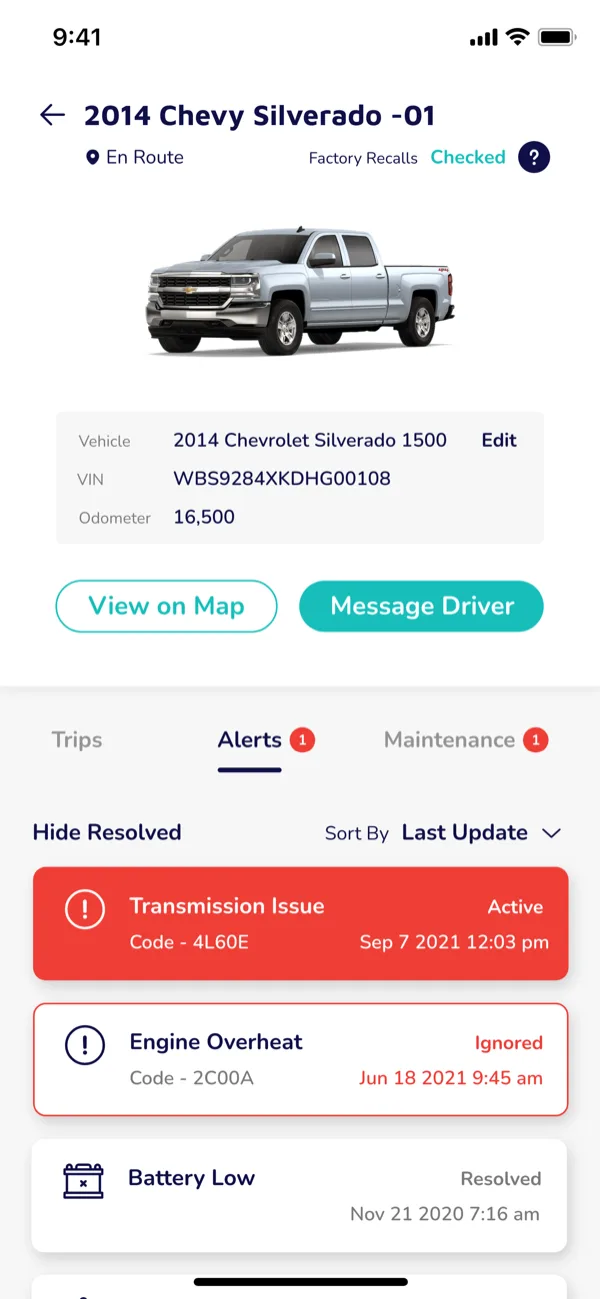
Kayo, the fleet tracker we built for Cox 2M, showing live vehicle status and engine alerts.






What mobile app development costs and how long it takes
Published ranges run from $20,000 to $300,000, which is wide enough to be useless. The screens are rarely the expensive part. Cost lives in state, in synchronization, and in the systems you do not own.
Here is what moves the number in practice, and where it has moved ours.
| Driver | Why it costs | Where we have met it |
|---|---|---|
| Offline and sync | The most underestimated line item on any field app. Going offline is easy. Deciding what happens when two people edit the same record on two disconnected phones is a product decision, and it is usually weeks of work, not days. | Star Leasing, drivers reporting breakdowns with no signal |
| Systems you do not control | An API that is documented but not true, a sandbox that does not match production, a rate limit you meet at load. This is where estimates go wrong, because the discovery happens in sprint six. | NAPA, built inside the retailer’s existing platform constraints |
| Hardware pairing | Bluetooth and peripherals are a state machine, not a feature. Pairing, dropped connections, firmware versions in the field, and what the app does while it waits. | Kayo, an OBD-II device in every vehicle |
| Background behavior | Background location, push, and battery policy differ by platform and change most years. It is also the most common reason an app fails review. | Kayo, live vehicle tracking on both stores |
| Roles and permissions | A three-role app is not three times a one-role app, but multi-role access with an audit trail is a genuine step up in cost, and it is almost always discovered late. | NeverAlone, residents, staff and clinicians in one app |
| Device matrix | How far back you support, whether tablets and phones both get first-class layouts, and whether rugged handhelds are in scope. Each answer multiplies QA, not development. | Leica Safeload, iOS, Android and Windows on one codebase |
| Regulated data | Encryption, audit logging, device-loss handling and a BAA are architectural, not a checklist you apply at the end. Retrofitting them costs multiples of building them in. | NeverAlone, protected health data across 130+ facilities |
What lowers it, in order of effect: a narrower first release, cross-platform instead of native, and settling the hard questions in discovery rather than in sprint eleven.
How long it takes
Rather than quote a range we cannot stand behind, these are apps we designed, built and shipped to the stores, with the durations they actually took.
| App | What shipped | Time to store |
|---|---|---|
| Tempo for Mailchimp | Mobile-first sales CRM, design sprint to the App Store | 75 days |
| GoFan | Digital ticketing MVP, later a national platform | 75 days |
| MyUS.com | First mobile app, iOS and Android from one codebase | Under 90 days |
| NAPA Auto Parts | Redesigned, developed, tested and launched on both platforms | Two months |
What extends a timeline
Almost never engineering speed. It is unresolved decisions, an integration that behaves differently in production, and a store review you did not plan a cycle for.
How we price
Capacity or outcome-based, and time and materials with a cap. We do not quote fixed-price feature work, because it makes both sides argue about scope instead of the product.
Who we are, in one paragraph
Digital Scientists is a US mobile app development partner based in Atlanta, building iOS and Android apps since the 2008 SDK. We design, engineer, ship and support them as one senior team, and clients own the code, the store accounts and the IP. Mobile products we have built include NAPA Auto Parts, Kayo for Cox 2M, Leica Geosystems Safeload, GoFan, Tempo for Mailchimp, Hubbell HPS Select, HD Supply, MyUS.com, RoadNinja and NeverAlone.
We are a good fit for
- Apps a workforce depends on to do a job away from a desk
- Apps that must reach systems you do not control
- Connected devices, sensors and offline behavior
- Regulated data, where the architecture carries obligations
- Consumer apps that need someone on them after launch
We are the wrong call for
- Buying developer hours by the seat
- Competing on offshore hourly rates
- A simple app with no integration, where a template will do
- Work you want delivered and never revisited
How to choose any mobile partner
- Ask for shipped apps in the stores, with dates, not mockups
- Ask who decides native or cross-platform, and why
- Ask what happens to the app two OS releases from now
- Ask who owns the code, the repos and the store accounts
- Ask what they would refuse to build
Our answers to all five are on this page.
Three we would point to first
GoFan
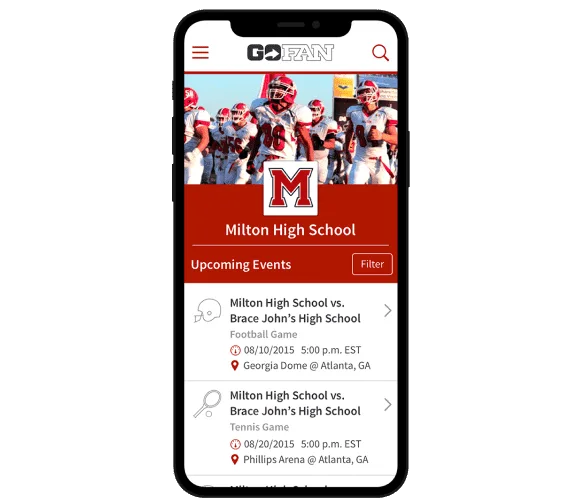
Built in 75 days, then operated as product partner while it became a national digital ticketing platform. Later acquired by KKR.
Leica Geosystems Safeload
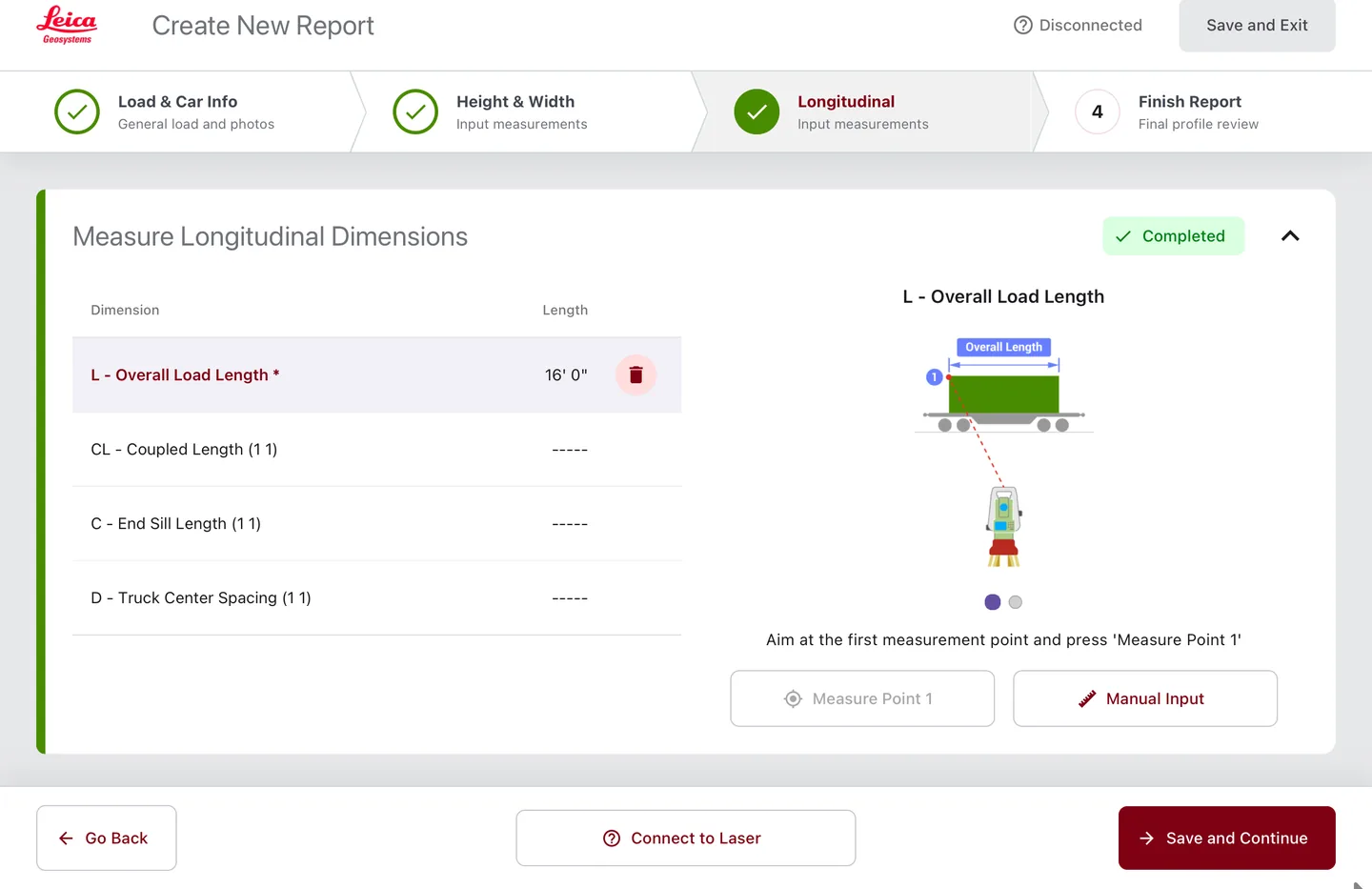
The U.S. standard for rail-car measurement, taken from Windows-only to iOS, Android and Windows. Market opened, compliance reporting untouched.
NeverAlone
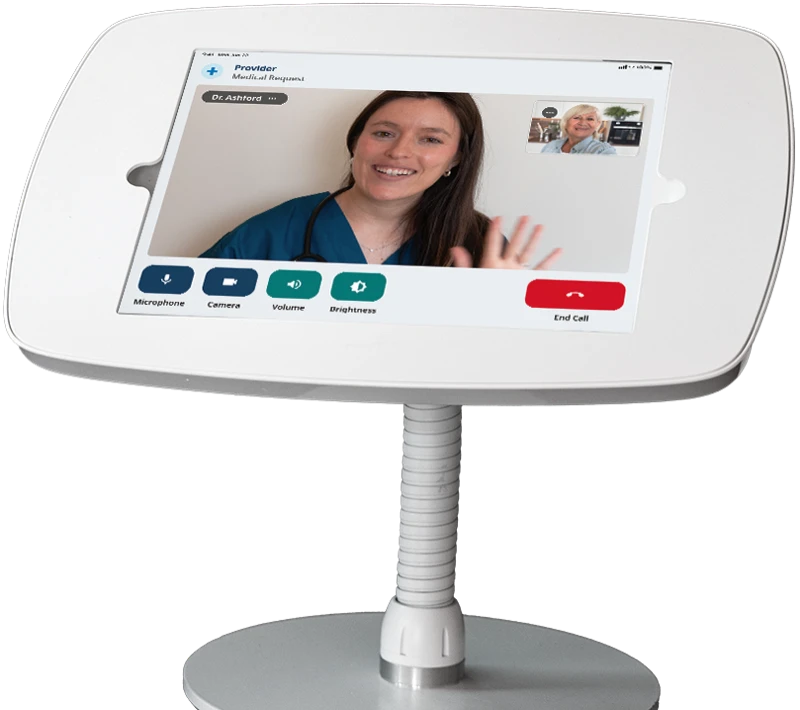
A 24/7 virtual care platform across 130+ facilities in 7 states, now with an ambient AI scribe we also built. We support it in production every day.
What mobile app development services include
Mobile app development services cover the full path from an idea to a live app in the Apple App Store and Google Play: deciding what to build, designing it, engineering the app and the systems behind it, getting it through review, and keeping it healthy once real people depend on it.
Most firms sell a slice of that. We staff one senior team across all of it, which is why a Mailchimp sales CRM took 75 days and MyUS.com's first app took under 90.
Product strategy and discovery
Who the app is for, what it has to do, what it must integrate with, and what the first release should deliberately leave out. Wrong scope is the most expensive mistake in mobile.
UX and UI design
Interaction design for a device held in one hand, often outdoors, sometimes in gloves. For Park ’N Fly we compressed a sixteen-step parking transaction onto a single screen.
Native iOS and Android engineering
Swift and SwiftUI on Apple, Kotlin on Android. Native is the right call when the app leans on the camera, sensors, background location, or offline behavior.
Cross-platform engineering
React Native where one codebase should serve both stores. Farmwave, Fusionetics, Park 'N Fly and Intent Solutions all shipped this way.
Backend, APIs, and integration
The app is the visible tenth of the work. Hubbell's field engineers search 200,000+ products from a phone because the catalog behind it was built to answer fast.
QA, release, and app store review
Device-matrix testing, accessibility, store submission, and the review cycle. We manage the release, and we stay on for the versions after it. See what we do after launch.
Platforms and technology
We build native, cross-platform, and where the job demands it, Windows. Leica Geosystems' Safeload rail app runs on all three from one engineering effort.
The choice is an engineering decision with commercial consequences, not a house preference. We make it in discovery, in front of you, with the reasoning written down.
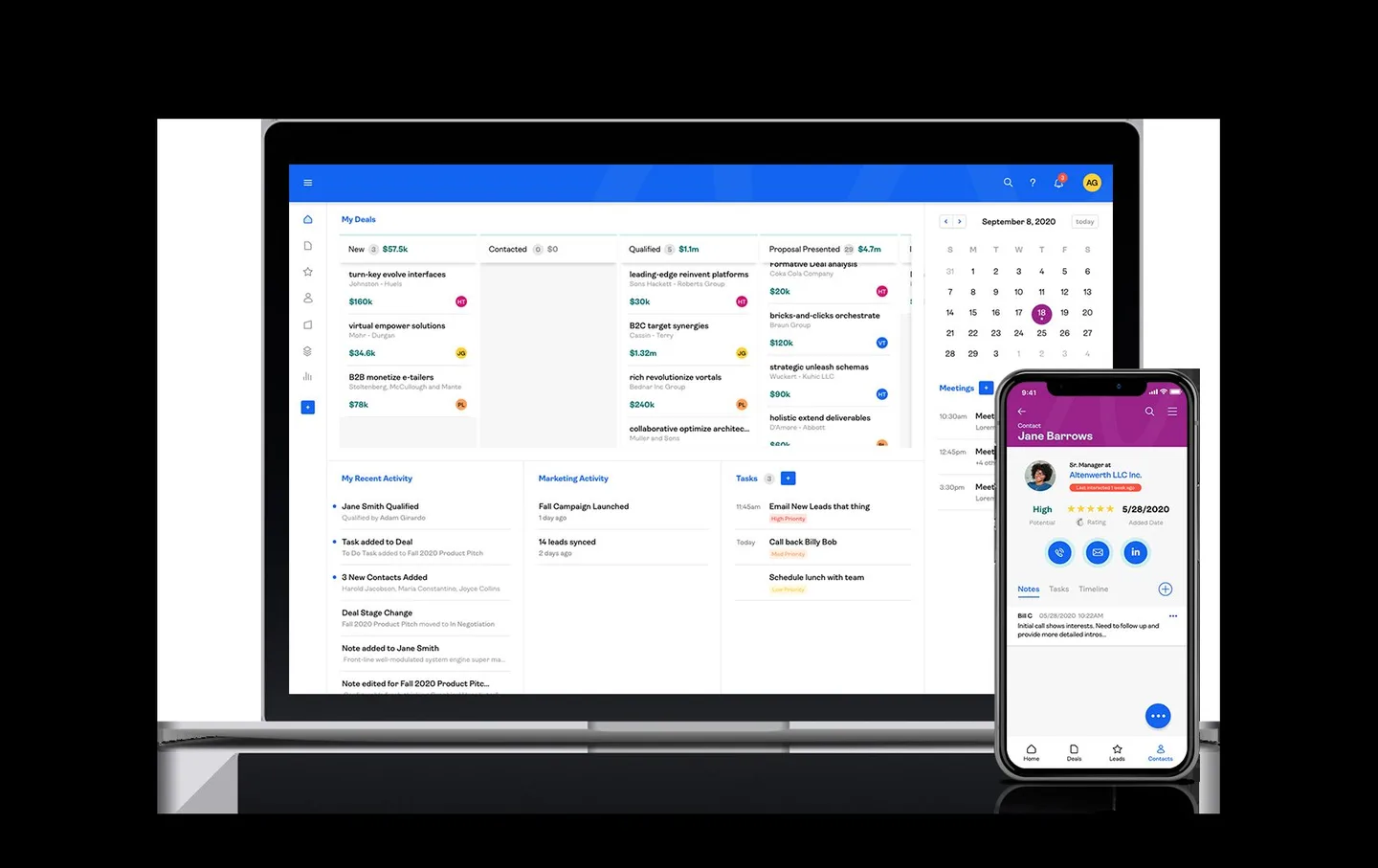
Tempo, the mobile-first sales CRM we designed and shipped for Mailchimp in 75 days, running on laptop, tablet and phone from a single build.
iOS app development
Swift, SwiftUI, and Objective-C on older codebases. iPhone and iPad, including tablet apps used as working instruments rather than screens.
Shipped: NAPA Auto Parts, AmericasMart Atlanta, MyUS.com, Hubbell HPS Select
Android app development
Kotlin and Java, across the device and OS spread that Android actually presents in the field, including rugged handhelds.
Shipped: NAPA Auto Parts, Leica Safeload, Kayo by Cox 2M, MyUS.com
React Native and cross-platform
One codebase, both stores, when the app is not sensor-heavy. This is where most business apps belong, and it is the fastest route to a real MVP.
Shipped: Farmwave, Fusionetics, Park 'N Fly, Intent Solutions, Star Leasing
Connected devices and IoT
Bluetooth Low Energy, real-time GPS telemetry, biometrics, and hardware pairing. The phone becomes the interface to a physical thing, and the live data has to arrive.
Shipped: Intent Solutions smart pill bottle, Turnils smart shades, Kayo GPS tracker
Native or cross-platform: how to decide
This is the first question most buyers ask and the one most agencies answer with whatever they staff. Here is the actual decision rule we use.
Go cross-platform when
- The app is mostly forms, lists, dashboards, media, and messaging
- You need both stores covered on one budget and one timeline
- You are validating demand and expect the product to change
- Your team will maintain it and you want one codebase to hire against
Go native when
- The app depends on the camera, LiDAR, precise location, or background sensors
- It has to work offline and reconcile later
- It pairs with hardware over Bluetooth or drives a peripheral
- Frame-rate or latency is part of the product, not a nice-to-have
The honest version: most business apps should be cross-platform, and most agencies will not tell you that because native bills more hours. We have shipped both for two decades and the deciding factor is almost always how much the app touches the device itself. We wrote up the trade-offs in hybrid versus native frameworks.
Our mobile app development process
Four phases. Each one produces something you can act on, and any of them can end the project if the evidence says stop. That is the point of running it this way.
Discover
Interviews with the people who will use the app, a look at the systems it has to join, and a scoped first release. Two to four weeks.
Experiment, if needed
A prototype in front of real users before the expensive part starts. Star Leasing's app was tested with four dispatchers before a line of production code.
Engineer
Two-week sprints, working builds on real devices from the first one, and AI-assisted delivery where it genuinely shortens the work.
Optimize
Instrumentation, store analytics, and the next release shaped by what people actually did. We have stayed on products for five years and longer.
What we shipped, and what it did
Every row links to the case study it came from. Where a duration is missing we have not published one, rather than estimating it.
| App | What it is | Time to ship | Result on record |
|---|---|---|---|
| GoFan | Digital ticketing, iOS and Android | 75 days | 150M paper tickets replaced |
| Tempo for Mailchimp | Mobile-first sales CRM | 75 days | Design sprint to App Store |
| MyUS.com | First mobile app, one codebase | Under 90 days | 10M packages, 200+ countries |
| NAPA Auto Parts | Full redesign, both platforms | Two months | 1M+ downloads, 400K+ parts, 4+ rating |
| Kayo for Cox 2M | GPS fleet tracker plus hardware | Concept to Amazon | 3 platforms at once, 4 research rounds |
| Leica Safeload | Rail-car measurement | One engagement | Windows-only to 3 platforms, 1 codebase |
| Hubbell HPS Select | Field product search | — | 200,000+ products on a phone |
| Star Leasing | Roadside service reporting | 8 dev sprints | 4-day sprint, tested with 4 drivers |
| NeverAlone | Virtual care platform | Ongoing since 2021 | 130+ facilities, 100K+ calls in 2024 |
Platforms and integrations we have shipped against
Not a capability list. Each of these is in a production app above.
Mobile app case studies
Nineteen years of shipped mobile work, split roughly evenly between consumer apps people download and B2B apps a workforce depends on. The through-line is utility: every one of these does a specific job for the person holding the phone.
Consumer apps
Downloaded, rated, lived in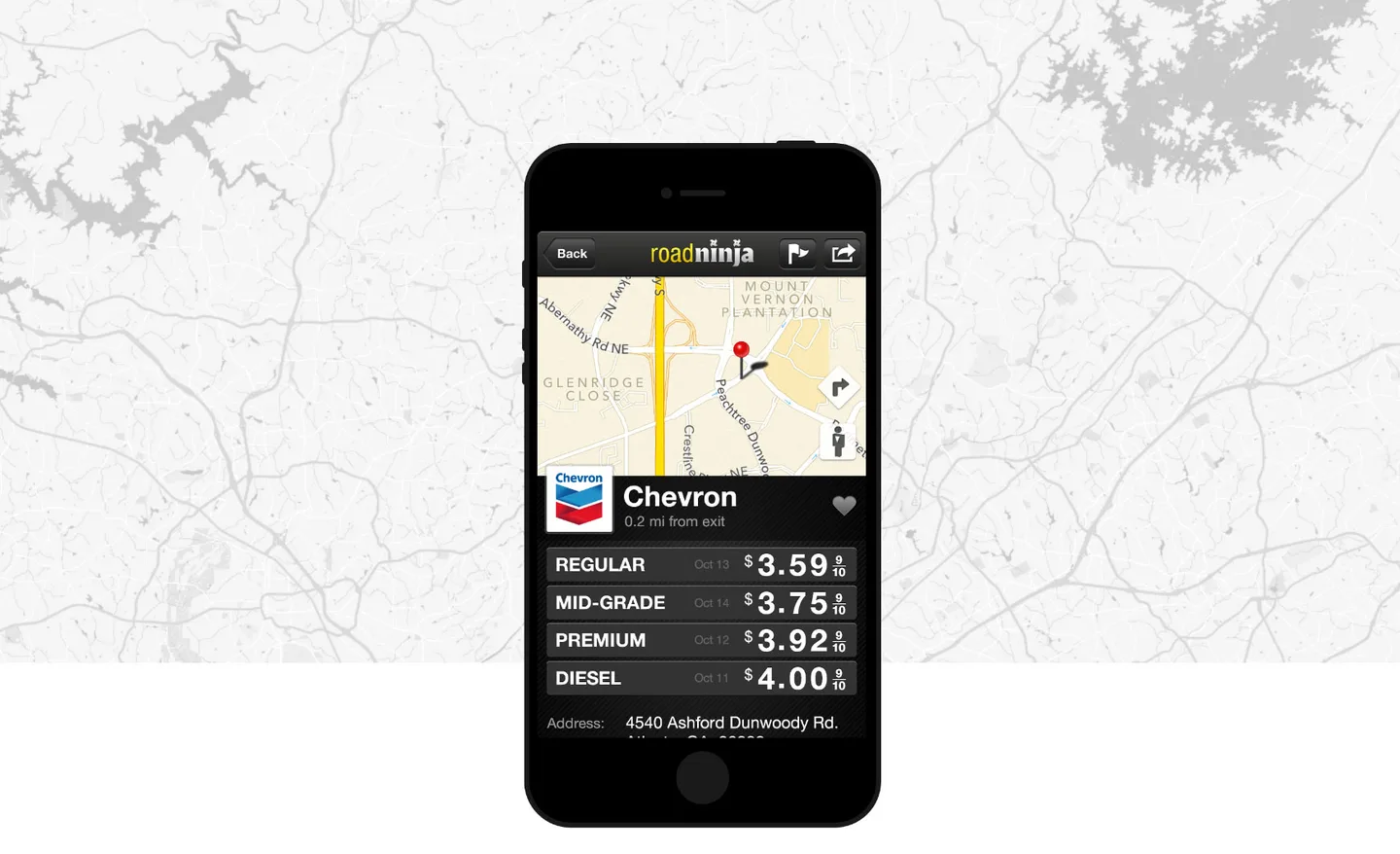
RoadNinja
The number one road trip app, past 1M downloads, built for Lamar Advertising. Find fuel, food and rest without leaving the interstate.
Park 'N Fly
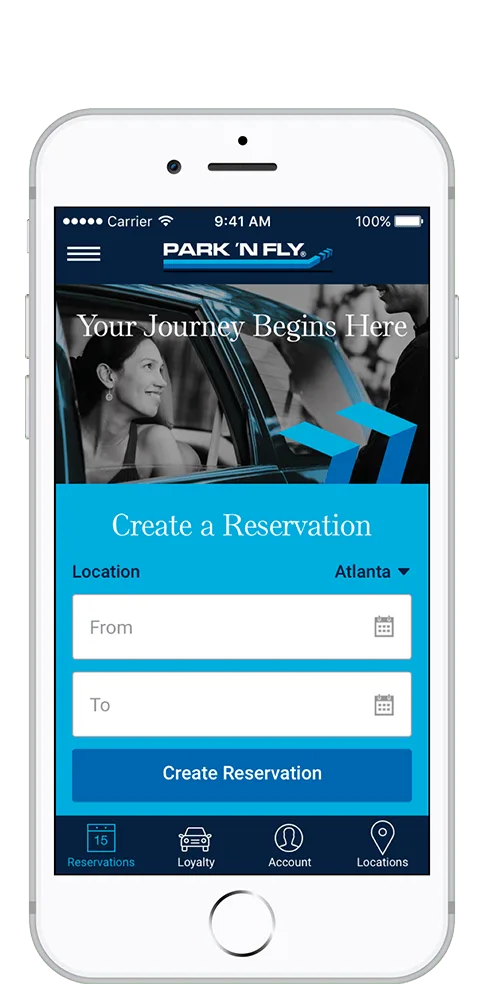
A sixteen-step airport parking transaction compressed onto one screen, in React Native.
MyUS.com
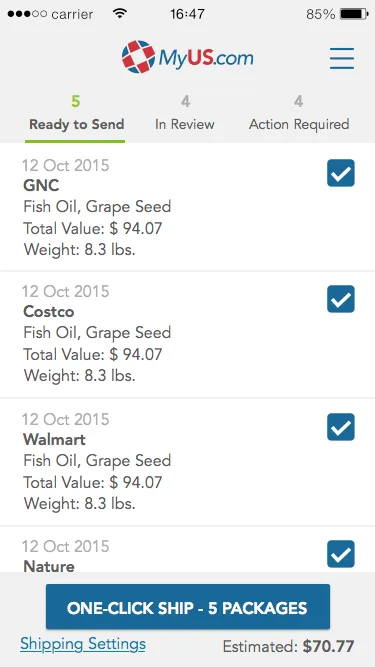
The company’s first mobile app on both platforms, with one-click international shipping, in under 90 days.
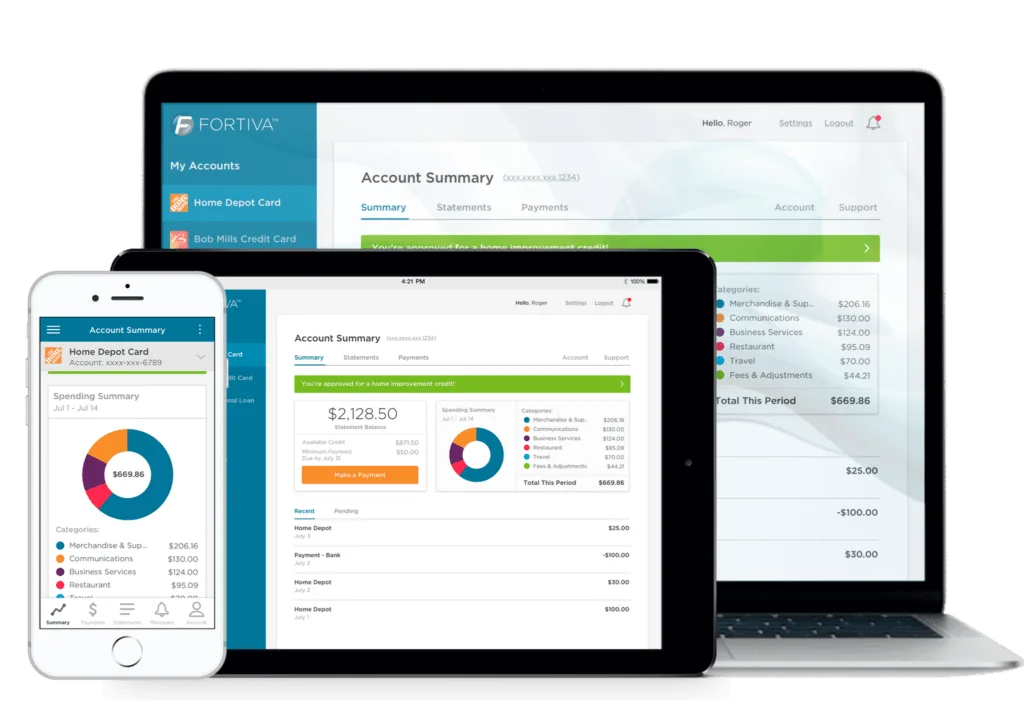
Fortiva
One account experience across phone and desktop for Atlanticus credit customers, so a card can be managed from anywhere.
B2B and field apps
Issued to a workforce, used every shift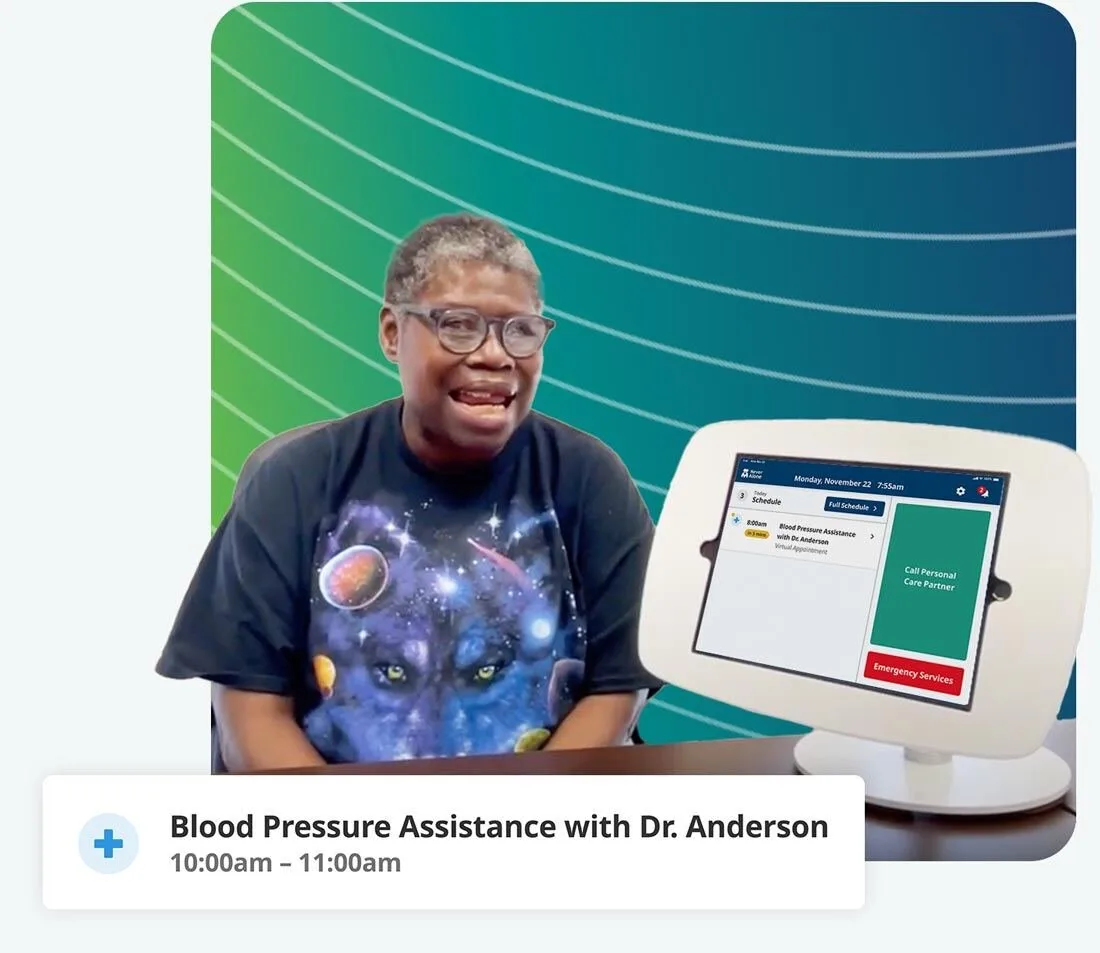
NeverAlone
Issued to residents and staff across 130+ facilities in 7 states. 100,000+ calls documented in 2024, and we support it in production every day.
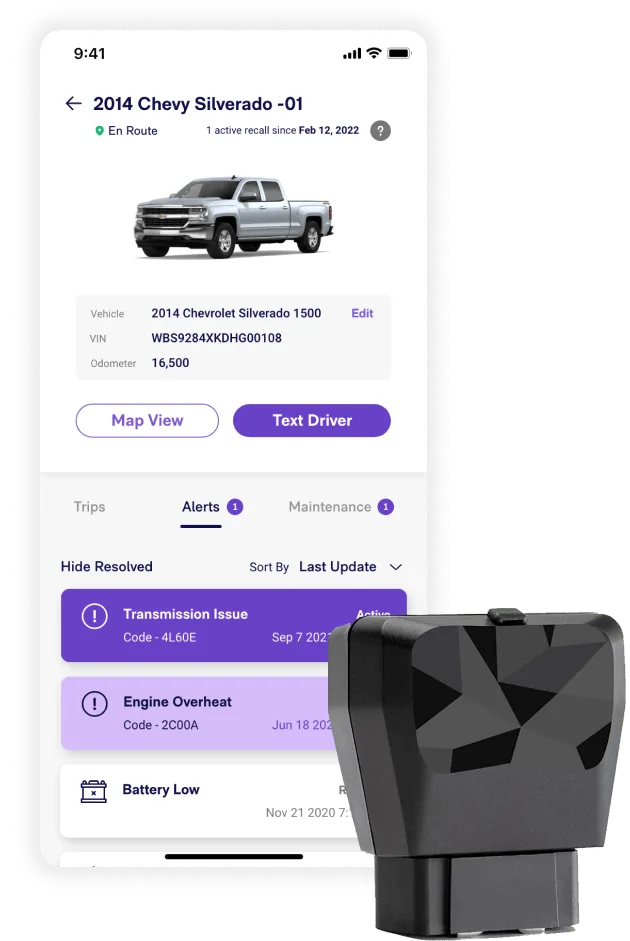
Kayo by Cox 2M
Real-time vehicle location and engine diagnostics in a fleet manager’s hand. Concept to a product sold on Amazon.
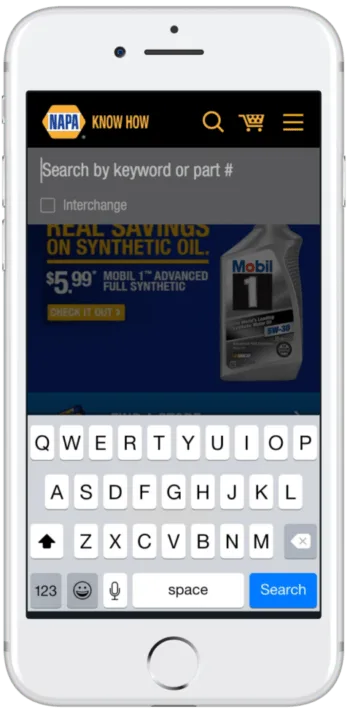
NAPA Auto Parts
A modernized iOS and Android experience for Genuine Parts Company, redesigned in two months across 6,000 stores.
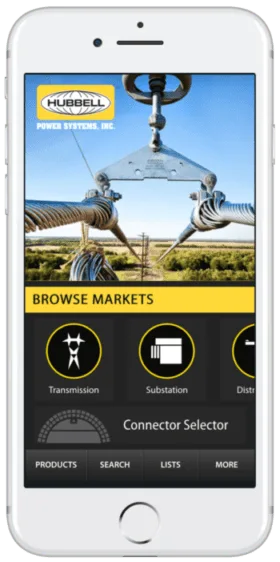
Hubbell HPS Select
200,000+ products made searchable from a field engineer’s phone, on iPhone and Android.
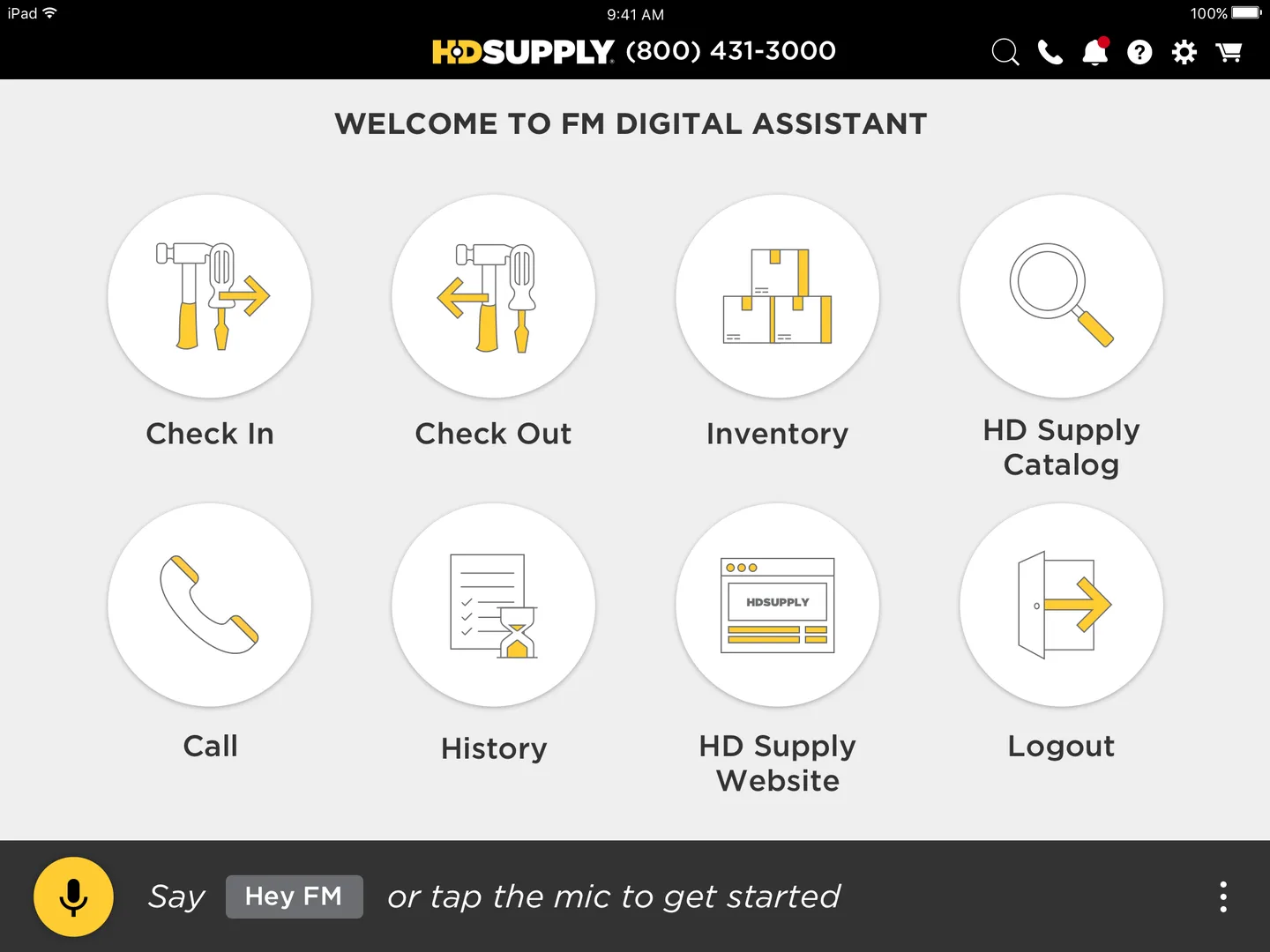
HD Supply Shop Assistant
A voice-activated assistant for facilities inventory, for people whose hands are already busy.
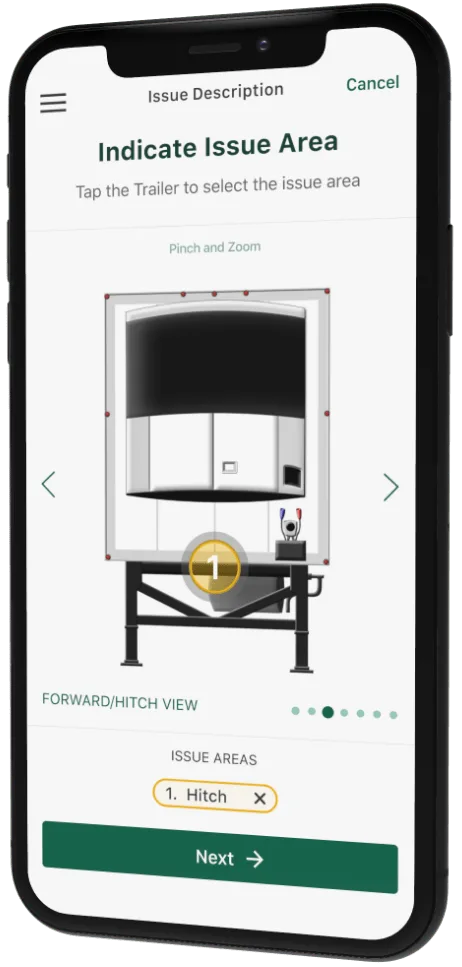
Star Leasing
Roadside rescue moved from dispatcher phone calls to a tap, validated with drivers before the build began.
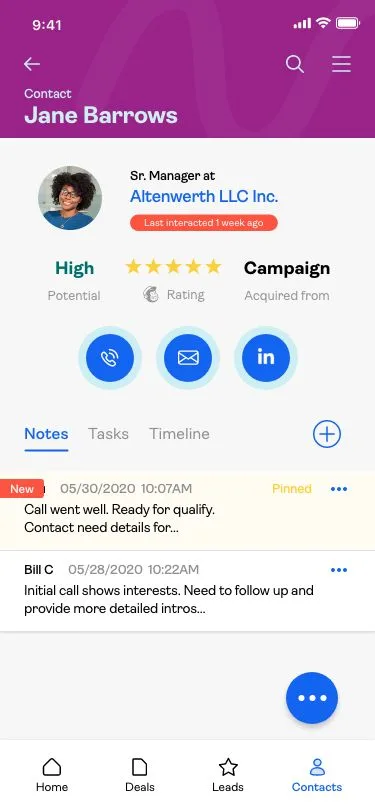
Tempo for Mailchimp
A mobile-first sales CRM designed and shipped in 75 days on a Google Ventures design sprint.
Nineteen years of this. Tell us what the app has to do and we will scope version one.
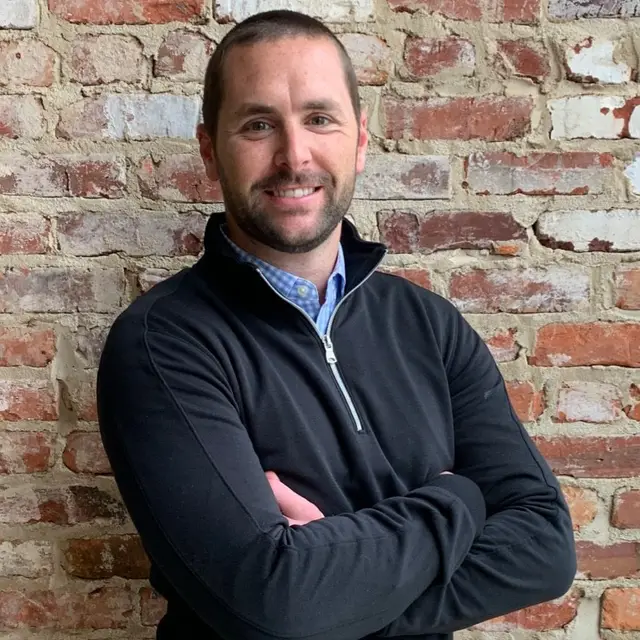
Scope my first release“Great insight, direction and innovation while delivering a high quality mobile application in only a few weeks.”
B.J. Pilling
VP New Business, GoFan
AI and hard computation on the device
Two different claims get made under the same heading. One is that a model sits inside the product. The other is that AI helped build it. We do both, and it is worth asking a partner to separate them, because only one of them is running in front of your users.
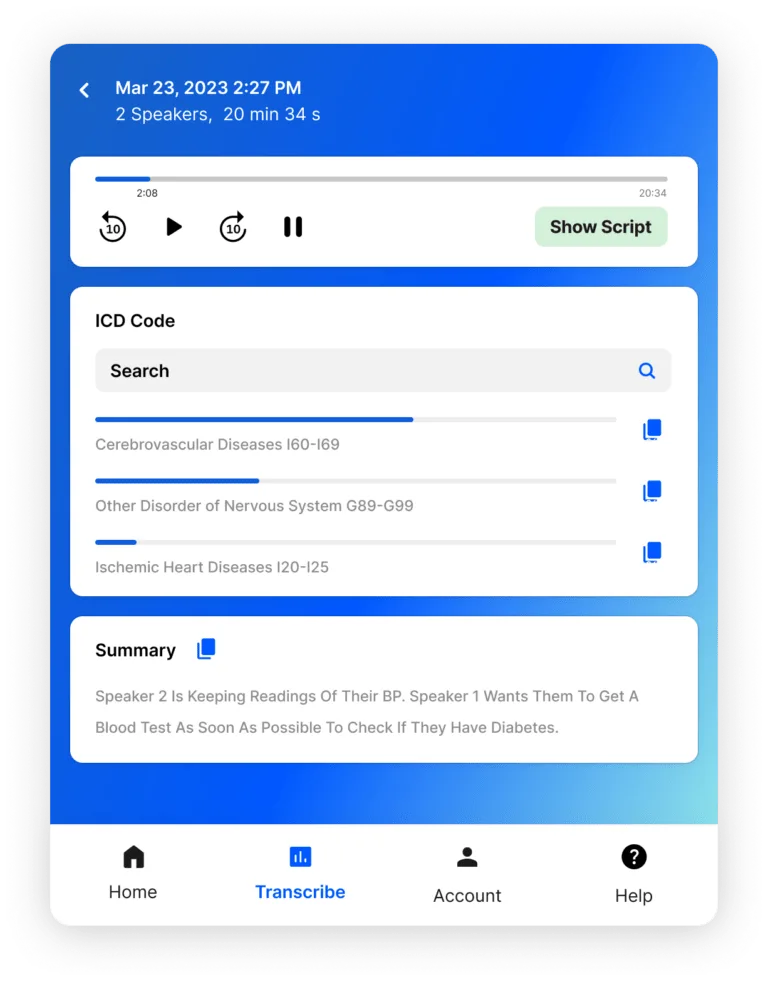
An AI scribe documenting live care
HealthContext.AI is our ambient documentation engine, running inside the NeverAlone care platform. It runs on the tablets and devices in facilities, transcribing and writing clinical notes from live telehealth calls while they happen. Not a pilot: 100,000+ encounters documented in 2024, across 7 states and 700+ connected devices.
Read the case study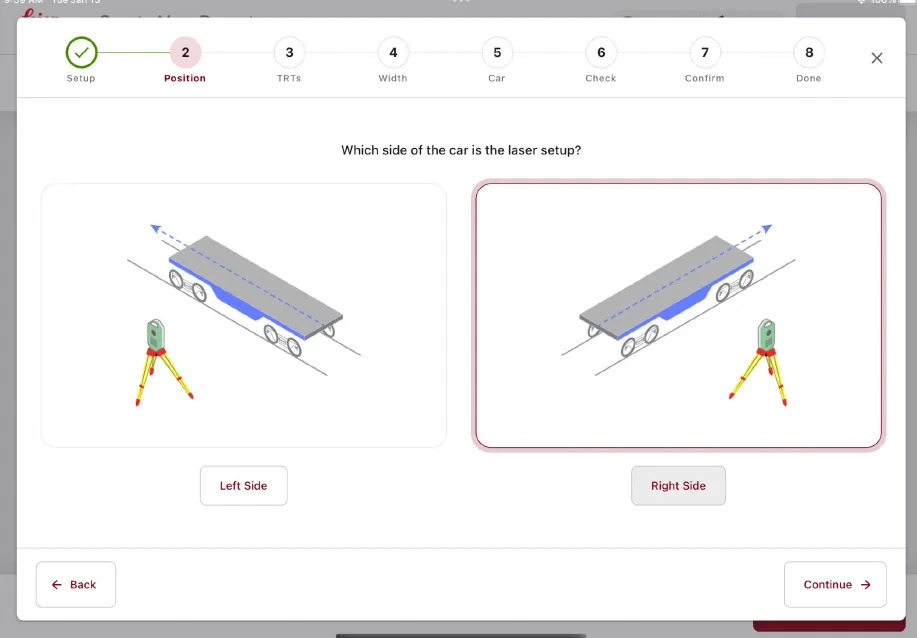
Rail-car load safety in the field
Leica Geosystems' Safeload has set the standard for rail-car measurement in U.S. rail for nearly two decades, on Windows only. We rebuilt it for iOS, Android, and Windows from one codebase, with hardware integration and license management, and left the compliance reporting that earned its reputation untouched.
Read the case study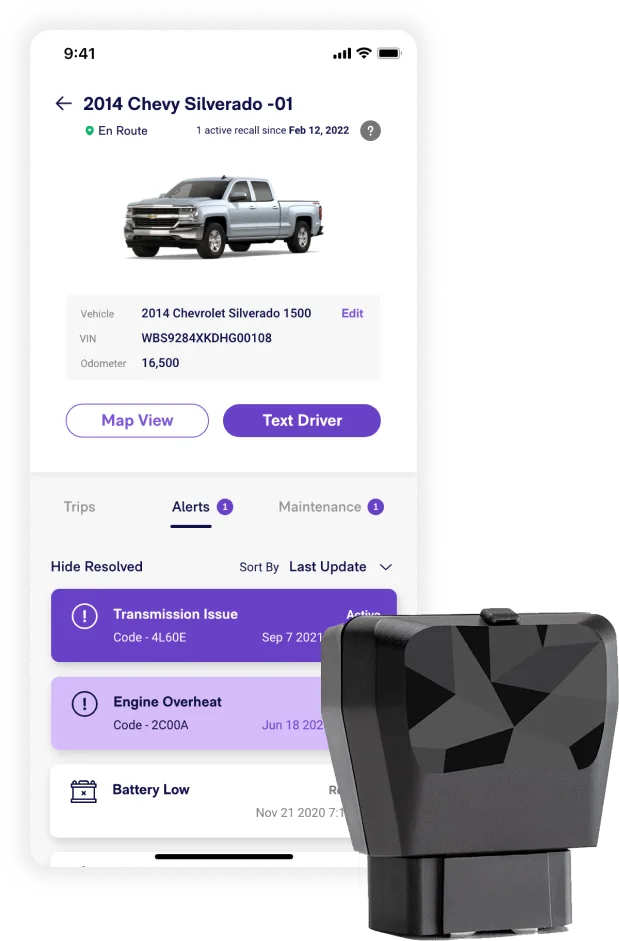
Live fleet location on a phone
Kayo, built for Cox 2M, puts real-time vehicle location and engine diagnostics in a fleet manager's hand. GPS telemetry and OBD-II hardware feeding a mobile app where stale data is worse than no data. Concept to a product sold on Amazon.
Read the case studyAnd AI in how we build
Our engineers use AI daily for scaffolding, test generation, migration work, and review. We run agent workflows on our own operations too, which is where we learn what actually holds up in production rather than in a demo.
What it does not do is replace senior engineers, and we would be careful with anyone selling that. Speed without review produces an app that ships once and then cannot be changed.
Industries we build mobile apps for
The pattern that repeats across all of them: the work happens away from a desk, and the phone is the only computer present.
Field service and industrial
Fleet and logistics
Retail and wholesale
Consumer and media
Financial services
Fortiva, Atlanticus
Agriculture
Farmwave crop intelligence
Education
AdvancED eProve assessment suite
Healthcare and senior care
After launch: maintenance and support
Shipping is the start of the expensive part. Two OS releases a year, store policy changes, device turnover, and dependency drift all arrive whether or not anyone is watching for them.
OS and SDK upgrades
iOS and Android ship major versions annually. We test against betas rather than waiting for support tickets.
App store policy
Review rules and payment requirements change, sometimes with real commercial consequences. See the 2025 App Store ruling for a worked example.
Monitoring and crash triage
Crash reporting, performance traces, and store reviews read as product input rather than support noise.
Ongoing roadmap
Some clients keep us for years, some take the app in-house. Both are fine, and we document for the second one.
You own everything. The code, the repositories, the App Store and Google Play accounts, the design files, and the roadmap. We do not hold accounts hostage, and there is no license that expires if you leave.
Mobile in regulated environments
When a tablet becomes a clinical device or a phone handles protected data, the architecture carries obligations the UI never shows. This is a large part of our work, and it is the reason several of the apps above cleared review at all.
NeverAlone is the clearest example. We built the virtual care platform with CommuniCare, it runs across 130+ facilities in 7 states, it completed 100,000+ calls in 2024, and we support it in production every day. Not a launch we walked away from.
See the NeverAlone platform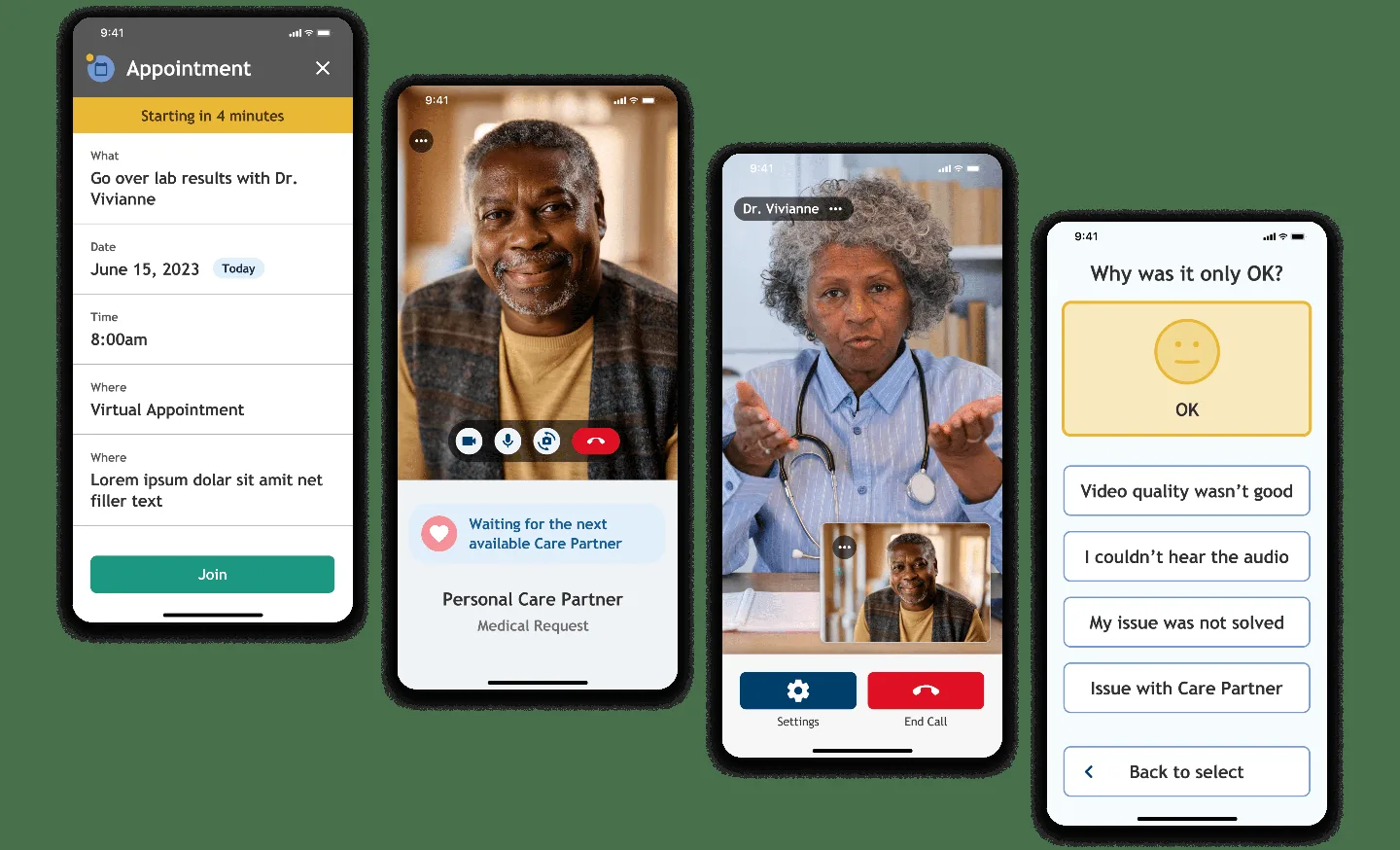
The NeverAlone resident app: an appointment reminder, a live video visit with a care partner, and the post-call feedback screen.
HIPAA-aligned architecture
Encryption in transit and at rest, audit logging, role-based access, and device-loss handling designed in rather than added after a finding.
Clinical system integration
HL7 and FHIR on the device, with production EHR integrations including PointClickCare and Gehrimed.
Built for clinical settings
Gloved hands, shared devices, poor connectivity, and interruption as the normal case. NeverAlone runs across 130+ facilities.
Mobile app development FAQ
What are mobile app development services?
Mobile app development services cover everything required to take an app from idea to live in the Apple App Store and Google Play, and to keep it working afterwards: product strategy and discovery, UX and UI design, engineering the app and the backend it depends on, integration with existing systems, quality assurance across real devices, store submission and review, and post-launch maintenance. Firms differ mainly in how much of that they actually do. Some sell engineering hours only and expect you to arrive with a specification.
How much does it cost to build a mobile app?
Published ranges run from roughly $20,000 for a simple single-platform app to $300,000 and beyond for a product with heavy integration and regulated data. The honest answer is that the range is useless without scope. The variables that move it most are the number of systems the app has to integrate with, whether it must work offline and reconcile later, whether it pairs with hardware, and how regulated the data is. A one-week discovery conversation will get you a defensible number faster than any calculator.
How long does mobile app development take?
A focused first release typically takes 75 to 120 days. We shipped Tempo for Mailchimp in 75 days, GoFan in 75 days, MyUS.com's first app in under 90, and a full NAPA Auto Parts redesign in two months. Larger products with more integration run longer: Fusionetics took 171 days from platform to a new consumer app. What extends a timeline is almost never engineering speed. It is unresolved decisions.
Should I build a native or cross-platform app?
Cross-platform, usually React Native, is the right answer for most business apps: forms, lists, dashboards, media, messaging, and anything you expect to change while you learn. Go native when the app depends on the camera, precise or background location, sensors, Bluetooth hardware pairing, offline reconciliation, or frame-rate. We have shipped both for nearly two decades, and the deciding factor is almost always how much the app touches the device itself rather than the budget.
What are the different types of mobile apps?
Native apps are written for one platform in its own language, Swift for iOS and Kotlin for Android, and have full access to the device. Cross-platform apps share one codebase across both stores, most commonly with React Native or Flutter. Progressive web apps run in the browser and install without a store, which suits internal tools but limits device access. Beyond the technical split, apps divide by audience: consumer apps that live or die on store ratings, enterprise apps distributed internally, and field apps used by a workforce, which is where most of our work sits.
What platforms do you build for?
iOS and iPadOS in Swift and SwiftUI, Android in Kotlin, cross-platform in React Native, and Windows where the job requires it. Leica Geosystems' Safeload app runs on iOS, Android, and Windows from a single engineering effort. We also build the connected-device side: Bluetooth Low Energy, GPS telemetry, and biometric hardware.
What skills does a mobile app project actually need?
More than mobile engineers. A working project needs product strategy, user research, interaction and visual design, mobile engineering on each target platform, backend and API engineering, integration work against systems you do not control, quality assurance across a device matrix, and release management for two stores with different review cultures. The common failure is hiring only the engineers and discovering that nobody owns the decisions.
What is the difference between a mobile app and a web app?
A mobile app is installed from a store, can use the device fully, works offline, and can send push notifications. A web app runs in the browser, needs no install or store review, and updates instantly for everyone, but has limited device access and no real offline story. If your users are at desks with connectivity, a web app is often the cheaper right answer. If they are in a truck, a warehouse, or a facility hallway, they need an installed app.
How does AI change mobile app development?
In two separate ways, and they are worth keeping apart. Inside the product: HealthContext.AI is our ambient scribe running on the devices inside the NeverAlone care platform, documenting 100,000+ telehealth encounters in 2024 across 7 states, and Kayo for Cox 2M puts real-time vehicle location and engine diagnostics in a fleet manager's hand. The hard part is rarely the model. It is latency, offline behavior, what happens when confidence is low, and how a person overrides it. In the delivery: our engineers use AI for scaffolding, tests, migrations, and review, which compresses the mechanical work. Be skeptical of anyone claiming AI replaces senior engineers. Speed without review produces an app that ships once and then cannot be changed.
Who owns the app and the code?
You do. The source code, the repositories, the App Store and Google Play accounts, the design files, and the roadmap. We document the work so another team can pick it up, because some clients keep us for years and some take the product in-house, and both should be possible without a negotiation.
What are the benefits of working with an experienced mobile partner?
Pattern recognition, mostly. A team that has shipped 200+ products since 2007 has already met the offline sync problem, the store rejection, the integration that was documented but not true, and the feature that tested well and shipped badly. That does not make a project risk-free, but it moves the surprises earlier, where they are cheap.
Do you work with in-house teams or replace them?
We embed. Most engagements put our designers and engineers alongside your product people, in the same time zone and the same standups. We are not a staffing desk sending resumes, and we are not a black box returning a build. Where a client has strong engineering and needs design and discovery, we do that part and hand off.
Where to start
Most mobile projects arrive at one of four starting points. Pick the one that matches what you already know.
Blueprint
You know the problem but not the shape of the product. A Blueprint settles architecture and scope before anyone writes code.
Minimum viable product
You know what to build and want it in the stores. A focused first release, typically 75 to 120 days.
How we engineer
Our engineering practice: senior US staffing, two-week sprints, and AI-assisted delivery where it earns its place.
New product development
A new line of business rather than a new app. Strategy, market validation, and the product together.
Mobile development insights
The questions clients ask most, answered at length.
How do hybrid and native frameworks compare?
Performance, cost and UX trade-offs, so the native-or-cross-platform call is made on evidence.
How does React Native work?
What actually happens under a cross-platform app, and where the approach stops being the right one.
Apple App Store ruling: skipping IAP fees with Stripe
The 2025 ruling changed mobile monetization. What Apple still controls, and what it means for your margin.

8 practices for accessibility in mobile app design
Contrast, targets, motion and screen readers, handled at design time rather than after an audit.
Define version one before you build it
The expensive mistake in mobile is not writing the code. It is building the wrong first release, and finding out after it ships.
A Blueprint settles the first version on paper: the workflows the app has to support, the systems it has to reach, the people who will actually use it, and the architecture that carries it into production. It comes with a development plan and a budget, written by the team that would build it.
Most first-version feature lists are about 60% wrong. It costs far less to learn that in week two than after $200K of build.
What you get
Workflows and scope
Every job the app has to do, prioritized, with what version one deliberately leaves out.
Personas from real calls
We interview the people who will hold the phone, not a proxy for them.
Integrations and architecture
The systems you do not control, the offline behavior, and the compliance surface, mapped before sprint one.
Development plan and budget
A native-or-cross-platform call, a sequence, and a number you can take to a board.
A working prototype
On the larger tier, something running on a real device that you can put in front of users.
You own the output and the IP, whoever builds it next.
Let’s Talk
Tell us what the app has to do. We will come back with a scope for version one, a platform recommendation, and a number. No pitch, no deck.
Or call: 404.654.3855
Ready to scope version one?
Start with a Blueprint and you leave with the workflows, the integrations, the personas, an architecture, and a development plan with a budget. Then you decide who builds it.