
Patient portals and patient engagement apps that patients keep using
Digital Scientists builds patient portals and patient engagement apps that connect patients and families to the care team: video visits, messaging, scheduling, results, reminders and family access, on iPads, phones and the web, tied to the EHR you run. We built NeverAlone with CommuniCare as a 90-day MVP in 2021, and we still run it for 30,000 patients across six states, including older adults and people with IDD. Most portal work starts with a Blueprint: 4 to 6 weeks to agree scope, architecture and budget.
Updated
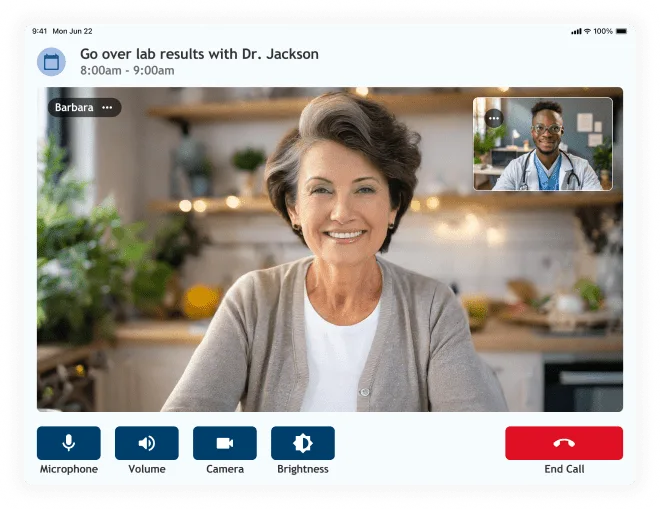
Patients on NeverAlone, which we run
Calls a year through the NeverAlone app
Managed devices in the field
Fathers' UpLift, Blueprint + MVP




NeverAlone: 24/7 Virtual Care Across Six States
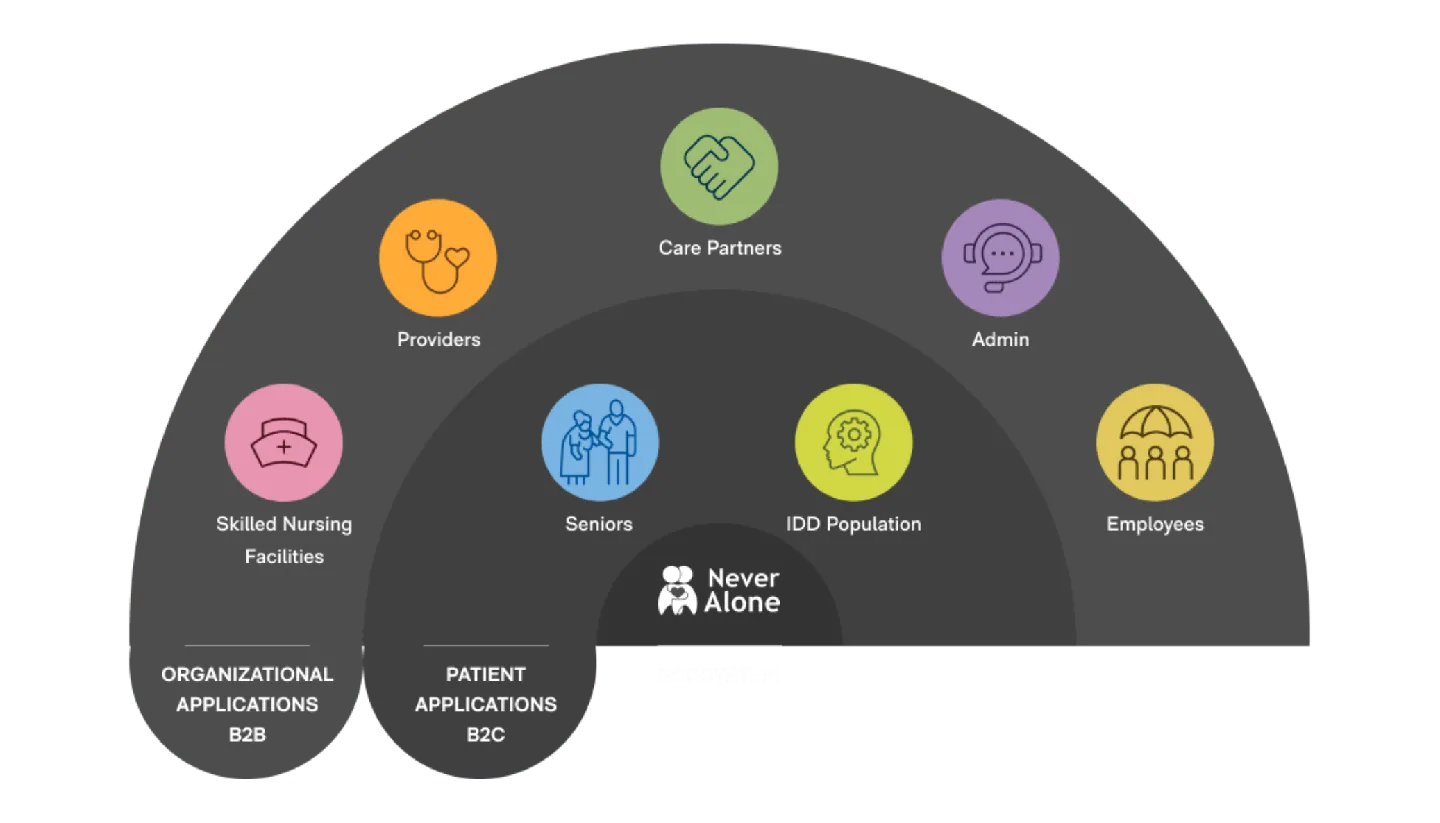
We built NeverAlone with CommuniCare as a 90-day MVP in 2021: a simple tablet that lets a senior reach a care partner by video. Today it serves 30,000 patients across six states, in skilled nursing, senior living, IDD services, home health and behavioral health, on 750+ managed devices, phones and the web. We still run it, 24/7.
Patients
States
Devices in the field
Calls a year

Why don't patients use the portal that came with the EHR?
Because it was built around the records system and its certification checklist, and the patient comes second. Patients log in once to see a result, forget the password, and go back to calling the front desk.
EHR vendor portals do a job: they put records, messages and bills behind a login. What they rarely do is fit a specific patient's day. A senior in assisted living, a guardian calling for an adult with IDD, a father checking in between coaching sessions and a parent juggling a child's appointments each need a different first screen. One generic portal serves none of them well.
The fix is design work, and it starts with real users. NeverAlone's first version was a tablet with one job: let a senior reach a care partner by video. We did UX research with older adults before writing code, and the pilot was running within three months. Everything added since was earned by people using what came before.

What makes a patient engagement app people keep using?
Four things: it's designed with the people who'll use it, it's built for the hardest user first, a real care team answers on the other end, and someone runs it every day after launch. We do all four.
Engagement is mostly operations. A video call button only matters if a clinician answers it, day or night. On NeverAlone, 96% of calls are treated in place, without a transfer to the hospital. That's why residents and nurses trust the button enough to press it.
We design for the hardest user first: an older adult with low vision, a person with IDD, a caregiver on a phone in a parking lot. If it works for them, it works for everyone else. And we stay after launch. We run NeverAlone 24/7/365 with L2 and L3 support, and we use what the usage data shows to decide what to change next.
Patients across six states
Calls a year
Devices in the field
Of calls treated in place, no hospital transfer
Should you build a custom patient portal or extend your EHR's?
Extend the EHR's portal when your patients are typical outpatients and the patient experience isn't what sets you apart. Build when the patient experience is the product, or your patients, families or care model don't fit the vendor's screens.
Most of our clients land in the middle: the EHR stays the system of record, and the patient app sits on top of it, reading and writing through its APIs. A Blueprint tells you which option fits, and sometimes the answer is to keep what you have.
Four ways to give patients a digital front door
| Option | When it fits | What you give up |
|---|---|---|
| Use the EHR vendor's portal as is | Standard outpatient care where records, bills and messages are enough | Control of the experience, mobile design and your brand |
| Extend the EHR's portal | You need a few extra workflows, such as intake forms or a scheduling flow, and the EHR supports apps or APIs | You're tied to the vendor's roadmap and release schedule |
| Build a custom app on top of the EHR | Your patients, families or care model need their own experience, and the EHR stays the system of record | More to own: design, hosting, support and integration upkeep |
| Build a standalone engagement platform | The engagement is the product, as with NeverAlone, or no EHR fits your model, as with Fathers' UpLift | The most to own. It needs a team to run it, ours or yours |
Whichever you choose, you own the code and the IP for anything we build. See EHR integration.
How does a patient portal project run with Digital Scientists?
In four steps, each with a decision at the end: a Blueprint to agree what gets built, an MVP in real patients' hands, the full build, and then we run it or hand it to your team.
For engagement, the first step matters most. In the Blueprint we interview patients, family members and staff, map the journey from referral to follow-up, and put a clickable prototype in front of real users before any code is written. For Fathers' UpLift, Blueprint and MVP took eight weeks together.
How a patient portal moves from idea to production
| Step | What happens | Typical time |
|---|---|---|
| Blueprint | Patient and family research, journey map, scope, architecture, integration plan and budget. The 6-week Blueprint adds a working prototype tested with users. | 4 to 6 weeks |
| MVP | The smallest app that proves people will use it: one population, the core journey, connected to the systems it needs on day one. | 8 to 16 weeks |
| Full build | More populations and settings, family access, analytics, admin tools and the remaining integrations. | 3 to 12 months |
| Run or transfer | We operate it with L2 and L3 support, or hand it to your team on a build-operate-transfer plan. | Ongoing |
These are common starting points, not rules. See ways to start.
Patient engagement features that drive adoption and outcomes.
Self-Service Scheduling
Online appointment booking, rescheduling, and cancellation. Real-time availability from your scheduling system. Reduce phone volume and no-shows.
Outcome: Lower call volume, fewer no-shows.
Secure Messaging
HIPAA-compliant messaging between patients and care teams. Asynchronous communication that fits patient schedules and reduces phone tag.
Outcome: Better communication, happier patients.
Integrated Telehealth
Video visits launched directly from the portal. No separate apps, no confusion, one experience for in-person and virtual care.
Outcome: Higher telehealth adoption.
Health Records Access
Lab results, visit summaries, medications, and care plans accessible on any device. Patient empowerment through information access.
Outcome: Informed, engaged patients.
Digital Intake & Forms
Pre-visit questionnaires, consent forms, and registration completed before arrival. Reduce wait times and improve data quality.
Outcome: Faster check-in, complete data.
Family/Caregiver Access
Delegate access for family members and caregivers. Perfect for pediatric, geriatric, and post-acute settings where families need visibility.
Outcome: Family engagement, care coordination.
How do you design a patient app for older adults, people with disabilities and family caregivers?
We test with them. Every population we design for gets its own research, and the first screen does one thing well.
NeverAlone serves seniors in independent living, residents in skilled nursing, people with IDD and their guardians, and patients at home. For IDD alone we designed for three groups: family-supported individuals whose guardians start calls, adults managing their own care, and people with high needs who get 24/7 coverage with remote monitoring. The same platform runs on managed iPads, phones and the web. See healthcare UX design and research.
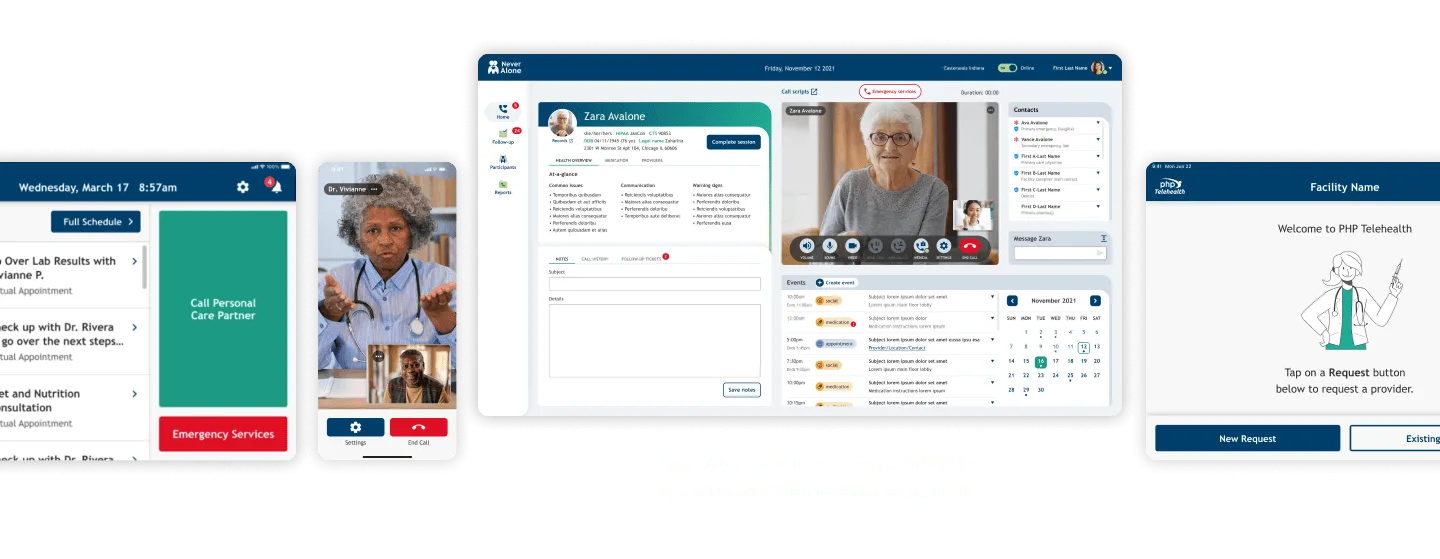
Large targets, few choices
One main action per screen, big type and high contrast, built to WCAG 2.1 AA.
Family and proxy access
Guardians and caregivers get their own role, with permissions and consent set by the patient or the care team.
Devices that look after themselves
Managed iPads configured before they arrive and updated remotely, so nobody on site has to be the IT department.
Who do we build patient engagement apps for?
Providers, health plans and health tech companies whose patients or members need more than a login to a records system.
Post-acute and senior living
Video access to a care partner around the clock, for residents and the nurses on shift. See post-acute and senior care.
IDD and disability services
Simple devices, guardian access and remote support that cut onsite visits. Easterseals Arc of Northeast Indiana uses NeverAlone for its members.
Behavioral health
Session reminders, check-ins and assessments by secure link, as in the Fathers' UpLift platform. See behavioral health and SUD.
Health plans
Member apps for onboarding, care gaps and benefits questions, connected to care management. See health plans and payers.
Health systems and physician groups
Intake, scheduling, results and messaging for the patients your EHR portal doesn't reach. See health systems.
Health tech companies
A patient app that is the product, built to pass the security review your buyers send. See health tech companies.
What systems does a patient portal need to connect to?
The EHR first, then scheduling, messaging, video, phone and whatever holds the data patients ask about. If it has an API, a standard interface or a reliable export, we can integrate with it.
On NeverAlone we've done this in production: PointClickCare and Netsmart (GEHRIMED) data with patients matched across EHRs, AWS Chime video, Bandwidth E911 for emergencies, and a care management platform we built to replace Salesforce.
For Fathers' UpLift, the platform syncs with Tebra for demographics and billing, runs video sessions through Zoom, and sends reminders and assessment links by SMS and email. We use FHIR where the other side supports it, and custom data exchange where it doesn't. See healthcare integrations.
EHRs
PointClickCare, Netsmart, Tebra
Scheduling
Appointments, availability, reminders
Video and phone
AWS Chime, Zoom, Bandwidth E911
Messaging
Secure chat, SMS, email
Results and records
Labs, visit summaries, care plans
Identity and access
Single sign-on, magic links, proxy roles
Care management
Custom platforms, CRMs
Devices
Managed iPads, phones, monitors
Patient-facing products we built
NeverAlone · CommuniCare
90-day MVP to 30,000 patients
A 24/7 virtual care app for seniors, people with IDD and post-acute patients, on managed iPads, phones and the web. We still run it.
See the work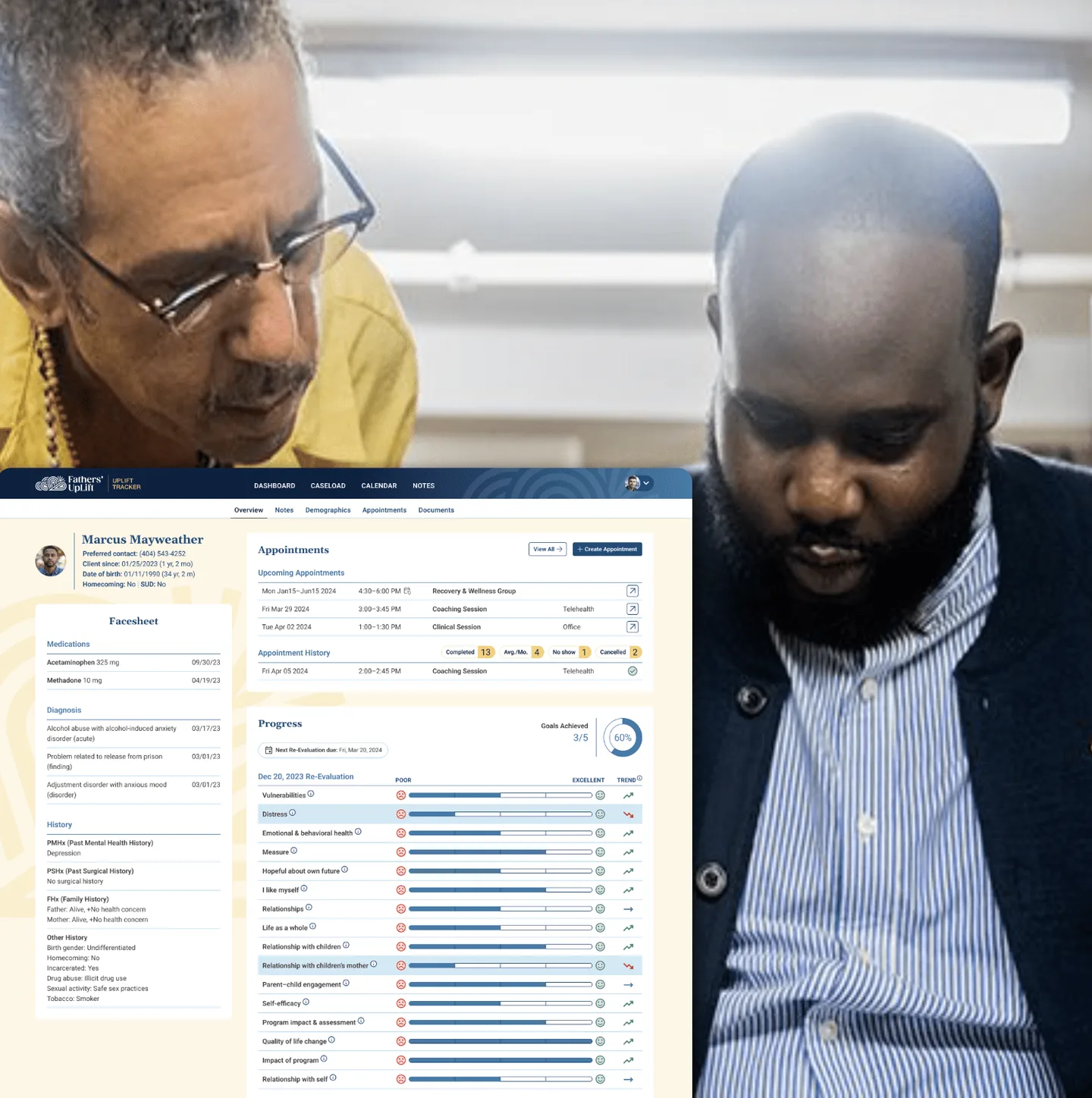
Fathers' UpLift
Blueprint + MVP in 8 weeks
A purpose-built platform for a program serving 16,000+ fathers, with secure-link assessments and SMS reminders for participants.
See the work
McKesson 3PL
25+ users interviewed, 5 prototypes
A Blueprint for a next-generation client portal, designed from research with internal teams and clients to replace an SAP interface.
See the workTrusted by healthcare leaders.
“NeverAlone has made our processes more efficient, reducing onsite visits and helping our members gain a greater sense of independence. What truly sets the team apart is their commitment to understanding the specific needs of our community. They took the time to learn about our challenges and tailored their solution to fit our goals. The partnership has been invaluable in empowering both our members and our staff.”

Donna K. Elbrecht
CEO, Easterseals Arc of Northeast Indiana
“I have worked with many technology teams during my career, and Digital Scientists is one of the best. They take the time to understand the customers' needs, deliver innovative solutions, are always professional, and work with your team as a true partner to achieve success.”

Amy Severino
Chief Innovation Officer, CommuniCare Health Services
Related services
Telemedicine and virtual care
Video visits and 24/7 virtual care platforms.
Telemedicine and virtual care →Healthcare app development
iOS, Android and web apps for patients and clinicians.
Healthcare app development →Remote patient monitoring
Device data that reaches the care team and the patient.
Remote patient monitoring →UX design and research
Research with patients, caregivers and clinicians.
UX design and research →EHR integration
Connect the portal to the EHR you run.
EHR integration →Diagnostics and labs
Products for labs, including results patients can read.
Diagnostics and labs →Latest thinking
Common questions about patient portals
Should we build a patient portal or extend our EHR's?
Extend the EHR's portal when your patients are typical outpatients and records, bills and messages are enough. Build when the patient experience is your product, or your patients, families or care model don't fit the vendor's screens. Most of our clients keep the EHR as the system of record and build the patient app on top of it through its APIs.
Can family members and caregivers have access?
Yes. We design proxy access as its own role, with permissions and consent set by the patient or the care team, and rules for guardianship and age of majority. On NeverAlone, guardians of family-supported members with IDD start calls on their behalf.
How do you get patients to adopt it?
Design it with them, keep the first screen to one job, and put a real person on the other end who responds. We test prototypes with patients and caregivers before we build, launch with one population, and use usage data to decide what to change next. NeverAlone started with one job, video access to a care partner, and grew from there.
Can the portal show lab results?
Yes, when the results live in a system we can reach. We pull results, visit summaries, medications and care plans from the EHR or lab system through its API, a standard interface such as FHIR, or a reliable export, and show them with plain-language context and a way to ask the care team a question.
Is it HIPAA compliant?
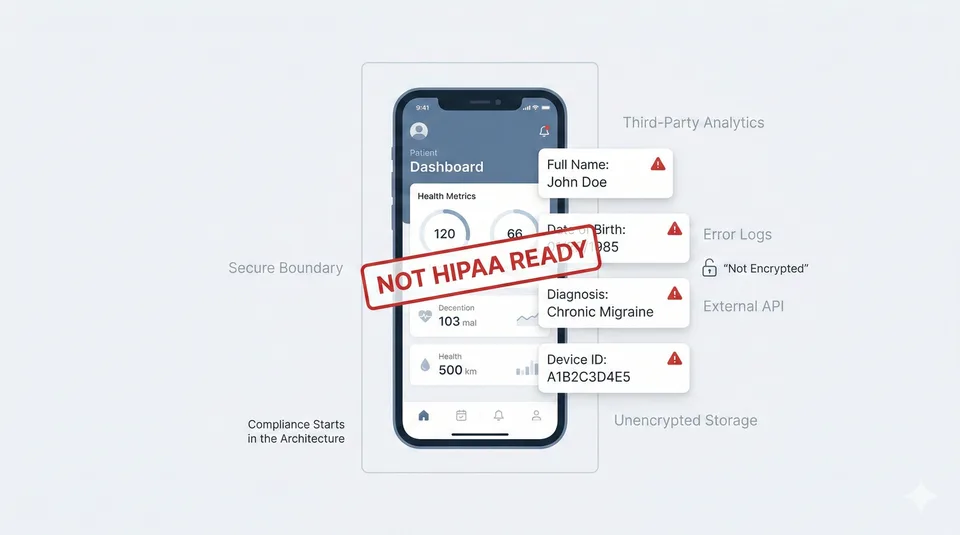
We build it to be. We sign a BAA before we touch patient data, encrypt PHI at rest and in transit, and build access controls and audit logging in from the first week. Our security plan is mapped to NIST CSF 2.0, and each client gets a security addendum. See security and PHI.
Do you build native mobile apps or web apps?
Both. We build native iOS and Android apps where push notifications, biometric login or offline access matter, and a responsive web portal for patients who prefer a browser. Patients get the same features and data on either.
How long does it take to build a patient portal?
A Blueprint takes 4 to 6 weeks and an MVP 8 to 16 weeks. A full portal with several integrations typically takes 4 to 8 months. We put the core journey in real patients' hands first and add to it from there.
Tell us about the product you want to launch
No commitment. No sales deck. We respond the same day, and you talk to senior leadership.
NeverAlone started as a 90-day MVP with us. It now serves 30,000 patients across six states.